Ever spent hours curating the perfect Spotify playlist, only to accidentally delete it? Don't worry—it's fully recoverable, though not through the app itself.
To restore a deleted Spotify playlist, log into your account using a web browser.
Once signed in, navigate to your Account Summary page. From the left-hand menu, select “Recover Playlists.” You'll see a list of all deleted playlists, including deletion dates and track counts.
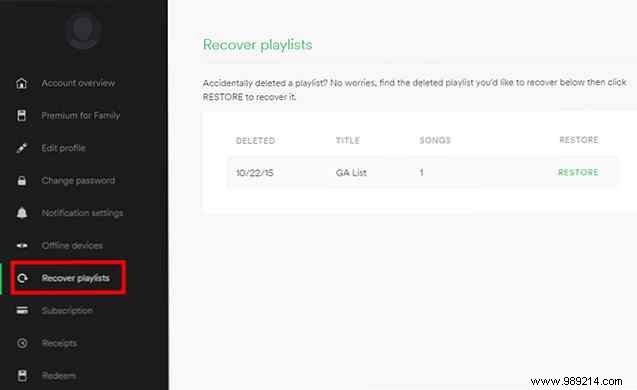
Click the Restore button for the playlist you want back—it'll be marked as recovered. Open Spotify (or restart the app if it's already running), and the playlist will appear at the bottom of your list.
Have other Spotify tips or tricks? Share them in the comments below!
