Spotify remains a top music streaming service, backed by millions of users and years of dominance. Yet, its desktop app can feel outdated with dull colors, clunky navigation, and slow loading times.
Fortunately, you can transform it using Spicetify, a powerful open-source tool for themes, custom apps, and more. As someone who's customized Spotify for years, I've streamlined this Windows tutorial to get you started safely and effectively—no Premium subscription required.
Spicetify is a command-line tool that lets you overhaul Spotify's desktop UI. Key features include:
A typical theme uses two files: color.ini for hues (hex codes) and user.css for layout tweaks, much like web styling. Follow these steps precisely to avoid issues.
Spicetify works on Windows, macOS, and Linux—check the GitHub page for other OS instructions. We'll focus on Windows.
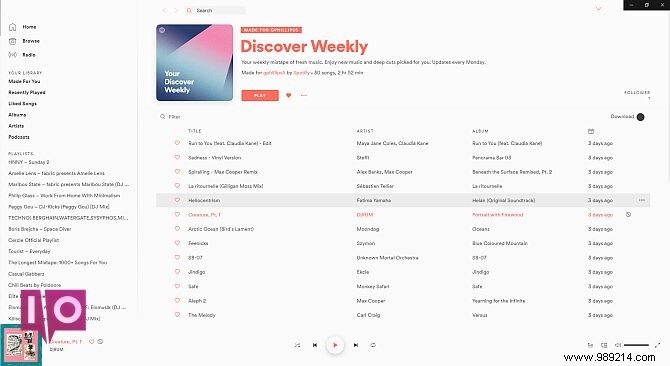
Here's stock Spotify for reference:

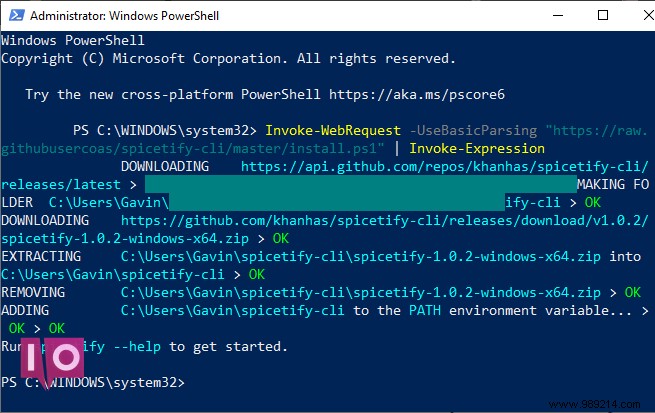
Search for PowerShell in the Start menu, right-click, and select Run as administrator. Paste this command:
Invoke-WebRequest -UseBasicParsing "https://raw.githubusercontent.com/khanhas/spicetify-cli/master/install.ps1" | Invoke-Expression
Verify with spicetify --help. Installation complete?
In PowerShell, run:
spicetify
Then:
spicetify backup apply enable-devtool
This creates backups and applies a basic theme. Keep PowerShell open. Spotify now looks like this:
Copy the default theme from:
C:\Users\[Your Name]\spicetify-cli\Themes\Slate\
(Note: Use backslashes for Windows paths; replace [Your Name] accordingly.)
Select both color.ini and user.css (Ctrl+click), copy (Ctrl+C). Paste into a new folder in:
C:\Users\[Your Name]\ .spicetify\Themes\
Name the folder (e.g., "MyTheme"). It should mirror the default structure.
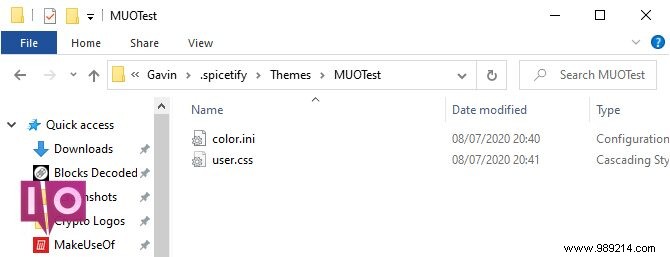
Edit color.ini in Notepad. Tweak hex codes (e.g., #1DB954 for green). Use HTML Color Codes for palettes. Save (Ctrl+S). Leave CSS unchanged for now.
Open C:\Users\[Your Name]\ .spicetify\config.ini. Set current_theme to your folder name (e.g., "MyTheme").
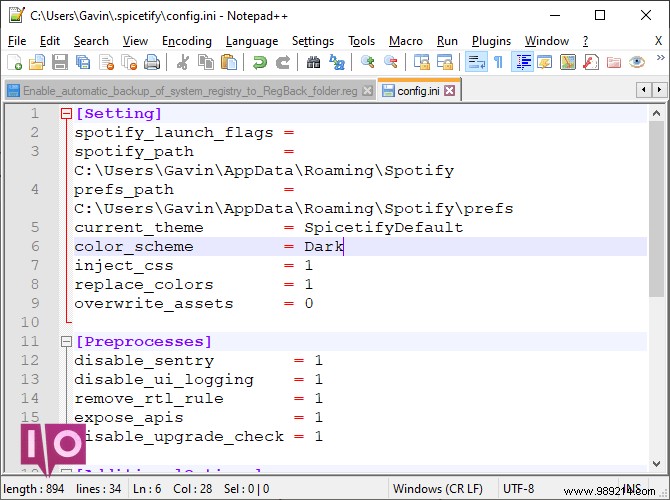
Optional: Set color_scheme (e.g., "Dark" or "Base").
In PowerShell:
spicetify apply
Spotify updates instantly!

To revert:
spicetify restore
This wipes customizations safely—ideal for troubleshooting.
Browse Spicetify Themes GitHub. For a theme:
.spicetify\Themes\.color.ini contents → Save As "color.ini" (All Files).user.css.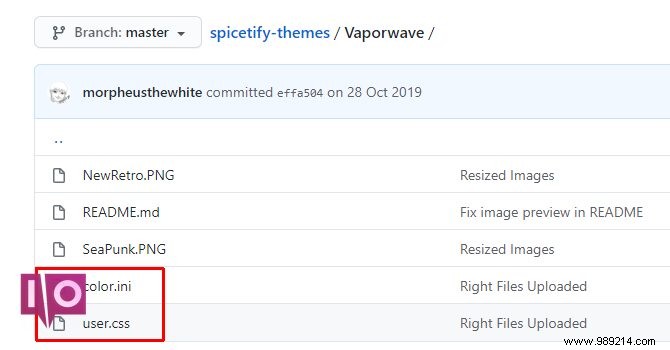
Update config.ini, then spicetify apply.
Download GitHub Desktop (free).
Install, launch, select Clone repository from the Internet → URL tab.
URL: https://github.com/morpheusthewhite/spicetify-themes
Local path: C:\Users\[Your Name]\ .spicetify\Themes\
Click Clone.
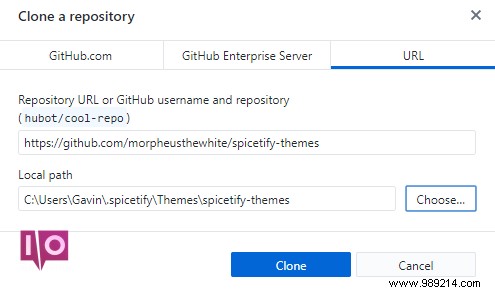
Move files from the cloned folder to your Themes directory. Update config.ini and apply.
Spicetify revives the desktop app with vibrant themes, fonts, and extensions. Next, organize those playlists for a seamless library.
