As experienced Spotify users, we've all faced the frustration of songs disappearing from playlists due to licensing issues. Don't worry—Spotify makes it simple to spot these unavailable tracks and find alternatives elsewhere.
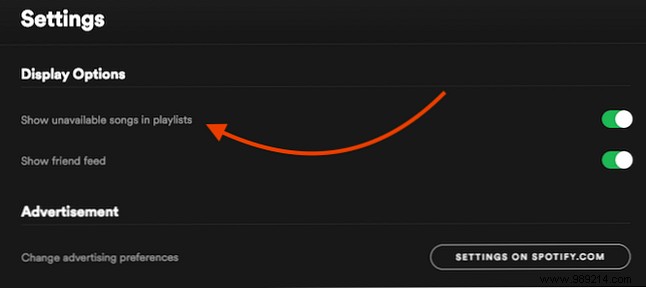
To reveal missing songs in your playlists, navigate to Settings > Screen Options and enable Show unavailable songs in playlists.
Return to your playlists, and unavailable songs will now appear grayed out and unplayable, helping you identify exactly what's gone.
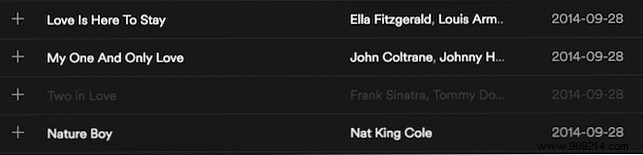
From there, search other platforms or Spotify for alternative versions—duplicates sometimes exist under different listings.
Got your own Spotify tips? Share them in the comments below!
