Music streaming services like Spotify have revolutionized how we listen, but offline access remains a key challenge without an internet connection. As avid Spotify users with years of experience navigating its features, we've seen the platform evolve—and occasionally remove beloved options, like some classic tools covered in our guide: How to Restore Spotify's Best Removed Features.
Thankfully, Spotify Premium makes offline listening straightforward. Here's our expert, step-by-step process to download songs, albums, or playlists directly to your device for seamless playback anywhere.
Follow these simple steps on your mobile device:
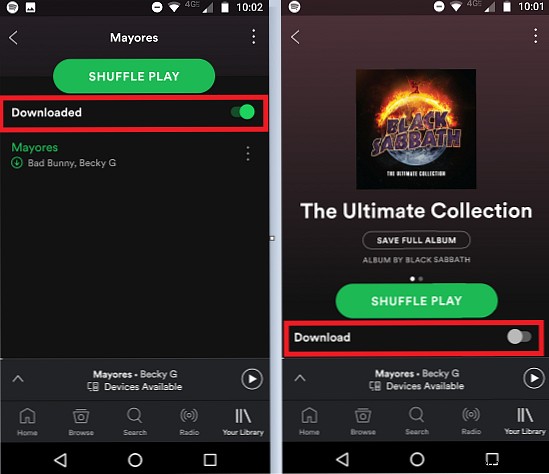
Important limitations to know:
Offline downloads require a Spotify Premium subscription: $9.99/month for individuals or $14.99/month for family plans (up to six users).
You can store up to 3,333 tracks per device across a maximum of three devices—a limit set by record labels, equating to roughly nine days of nonstop music.
Finally, reconnect to the internet at least every 30 days to keep your downloads active.
Do you rely on Spotify offline downloads? Share your tips in the comments below.
