Sonos speakers offer one of the best wireless audio experiences, filling your home with music controlled effortlessly from your computer, tablet, or smartphone. They integrate seamlessly with top streaming services like Spotify, Apple Music, and Google Play Music.
However, Sonos lacks native support for streaming your computer's full audio output—a common frustration for users wanting to play PC media through their system.
This gap matters for music enthusiasts who rely on specialized apps with rich metadata, tags, and features that the basic Sonos app doesn't provide. You get artist, track, album, and artwork, but little else.
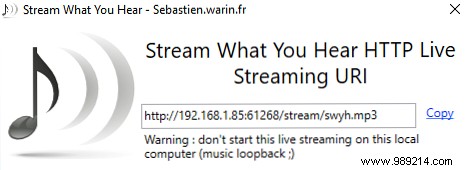
Here's a reliable, tested method using the free Stream What You Hear app to route your PC's audio to Sonos speakers.
To play, navigate to Radio > My Radio Stations. Start audio on your PC first for the stream to connect properly. Prefer streaming local files to Sonos or services like Spotify?
