With thousands of songs at your fingertips via services like Spotify, Apple Music, or Google Play Music, your Sonos system delivers premium audio. But for that authentic, real-time vibe, live radio is unbeatable. Whether you're a long-time Sonos user or new to the ecosystem, tuning into live broadcasts is simple and elevates your listening experience.
If you own Sonos speakers, you can easily access live radio through dedicated apps or direct URLs. As audio enthusiasts with years of hands-on experience optimizing Sonos setups, we've tested the best options. Read on for step-by-step instructions, our top app recommendations, and pro tips for seamless streaming.
You can integrate radio services via the Sonos desktop or mobile app. We'll focus on the desktop method for clarity, as it's straightforward and applies universally.
Launch the Sonos app and check for updates to ensure optimal performance.
From the home screen, find the Select a music source panel on the right. Scroll to the bottom and click Add music services.
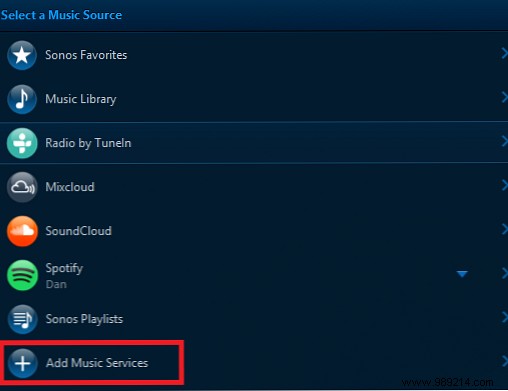
Browse the list and select your desired radio app.
Follow the prompts: enter login credentials if required, then click Configure [Service] or Authorize to grant access.
Once added, the service appears in your music sources list—just click to start streaming.
Here are our expert picks based on reliability, content variety, and Sonos integration.
TuneIn Radio comes pre-installed on Sonos, making it the go-to for instant access to over 100,000 live stations worldwide.
Expect partnerships with major broadcasters like CBC, ESPN, C-SPAN, and NPR. Tune into local news from Mumbai, hits from Bolivia, or live sports from the English Premier League, NFL, and MLB.
Beyond radio, enjoy millions of on-demand podcasts and shows.
Live radio has gems amid the filler—DAR.fm lets you record favorites for on-demand playback.
Schedule recordings, download episodes, and take them on the go. Popular options include Sorry to Interrupt (ESPN), Hardball with Chris Matthews (MSNBC), and BBC Global News.
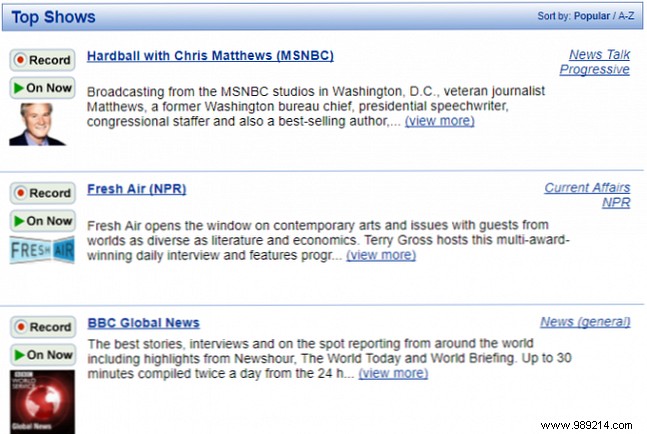
Note: Free in browsers, but Sonos requires a $49.95 annual subscription.
For serene escapes beyond pop hits, Calm Radio offers 250+ channels in acoustic, classical, jazz, ambient, and more—plus atmospheric streams for work, sleep, meditation, or tinnitus relief.
All at CD-quality 192 kHz streaming.
Sonos supports direct streams in MP3, AAC, or WMA formats via URLs, bypassing app limitations.
Find URLs on station websites, or right-click the Play button > Properties. Tools like URL Snooper can help, or contact the station.
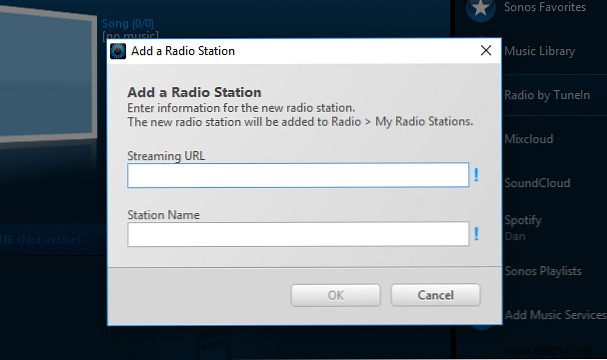
In the Sonos desktop app, go to Manage > Add Radio Station. Enter the URL in Streaming URL, name it, and click OK.
Access via TuneIn Radio > My Radio Stations, then right-click and Add to Sonos Favorites for quick home-screen access.
Note: Add URLs on desktop; mobile apps can play them afterward.
Now you're set to enjoy radio apps and custom streams on Sonos. Combine them for endless variety—from global news to relaxing ambiance—and transform your speakers into a versatile audio hub.
