While many popular streaming apps work seamlessly with Google's Chromecast, Amazon Prime Video is a notable exception. Unlike its rival Netflix, which has supported casting since launch, Prime Video lacks a native Cast button due to ongoing tensions between Amazon and Google.
Fortunately, as avid streaming experts who've tested countless setups, we have two proven methods to get your Prime Video content on your Chromecast-enabled TV without hassle.
Most modern Android streaming apps include a Cast icon, but Prime Video doesn't—thanks to a classic corporate spat. Amazon skips YouTube apps on Fire TV devices, Google pulls its products from Amazon's store, and Amazon withholds Prime Video from Chromecast. It's mutual retaliation, plain and simple.
Note: For apps with native Chromecast support, check our roundup of the 10 best Chromecast video apps, best audio apps, and guides on devices for cord-cutters.
Let's dive into the solutions.
Using a computer with Google Chrome? Stream Prime Video directly from the website to your Chromecast—built-in support means no extensions needed.
Ensure your TV is on the right input. Open Chrome, head to primevideo.com, log in, and start playback on your desired title.
Click the three-dot menu in the top-right, select Cast.
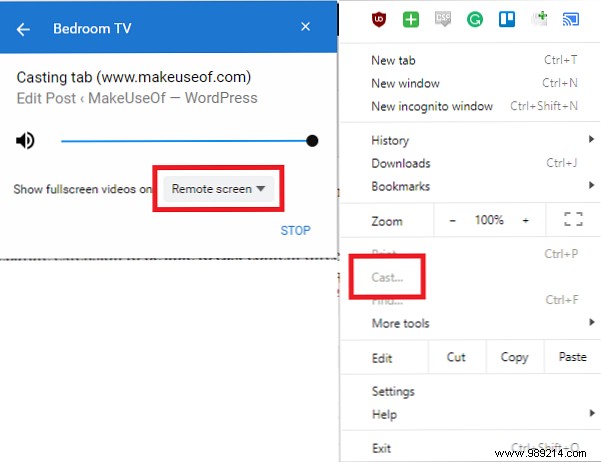
Pick your Chromecast from the list. For optimal results, set Show full screen videos in to Cast device to avoid dual playback.
The catch? Controls stay on your computer—no couch-friendly remote. Pause, rewind, and adjust from there.
Warning: This works best on older Android devices. Newer models with HDR/4K may struggle, though Amazon hasn't actively blocked it.
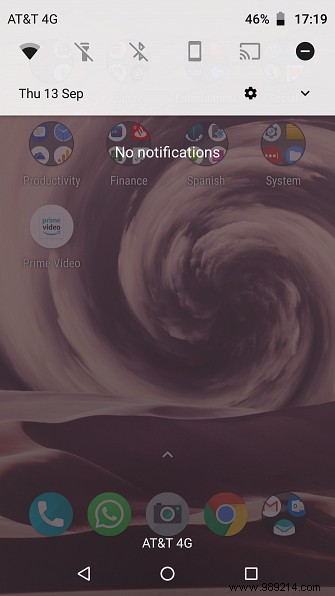
Prime Video's Play Store app is fair game for screen mirroring. Swipe down your notification shade, tap the Cast icon (TV shape), and select your Chromecast.
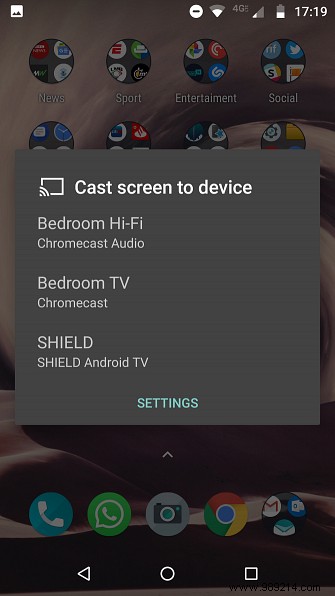
Open Prime Video, go full-screen landscape, and play. Control everything from your phone.
Pros: Full remote access.
Cons:
These workarounds are solid, but for seamless Prime Video integration (plus Alexa and third-party apps), a Fire TV Stick, Cube, or TV edition shines. See our Fire TV comparison to pick the right one.
We're loyal Prime subscribers footing the bill—end the feud and add native Chromecast support. Until then, explore alternatives like niche streaming services or our Chromecast vs. Roku guide.
