Struggling to share Facebook videos with friends and family on a small phone or computer screen? Casting them to your TV provides a much better group viewing experience on a big display.
To get started, you'll need a Chromecast or Apple TV connected to your television.
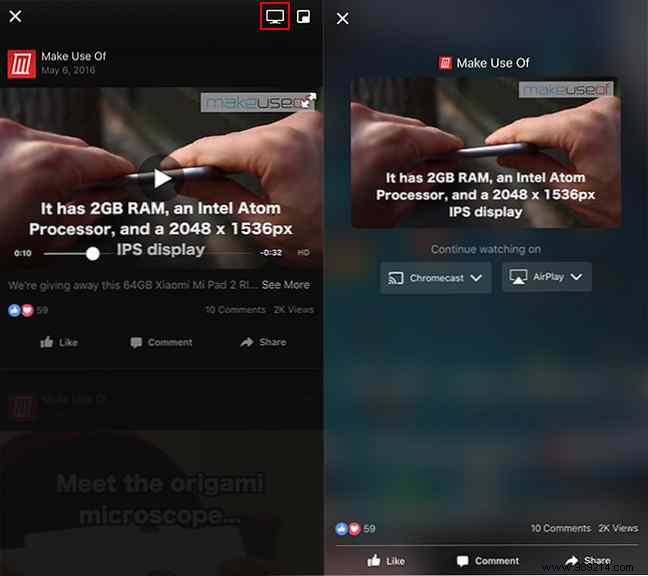
In the Facebook app, find and play the video you want to watch. Tap the TV icon in the upper-right corner to reveal available casting devices, then select your TV to stream seamlessly.
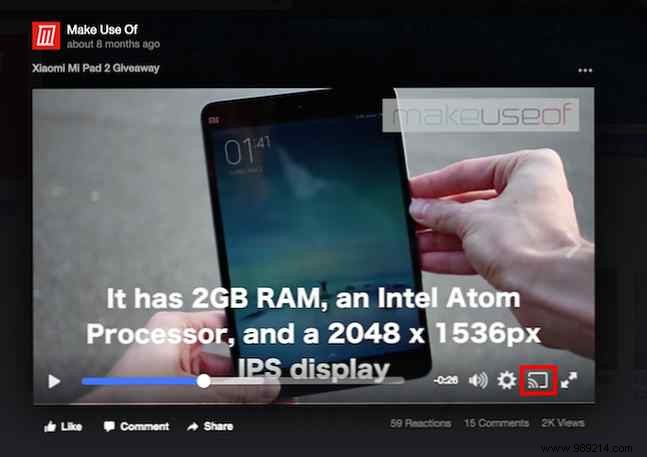
On your computer, open Facebook.com in Chrome, play the video, and click the cast icon to send it directly to your TV—quick and reliable every time.
For more details on this handy feature, check out the video tutorial below.
Got tips for maximizing Facebook videos? Share them in the comments—we'd love to hear your favorites!
