Before adding another book to your Amazon cart, check if it's available at your local library first. This simple step can help you save money and rediscover the value of public libraries. As avid readers know, libraries offer far more than books today—including tech perks like free e-books, audiobooks, and digital magazines. (For more on library tech savings, explore these services.) The free Library Extension for Chrome makes it effortless.
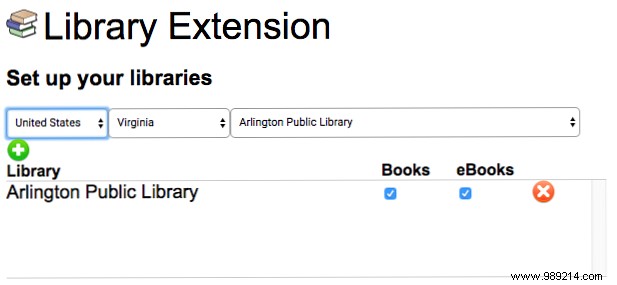
After installing the extension from the Chrome Web Store, click its icon and select Options. Search for your local library and add it with the green plus button.
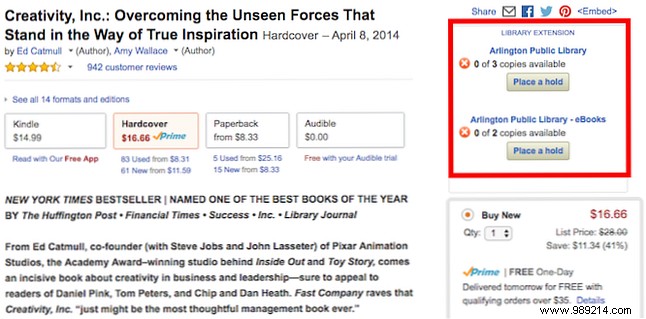
Now, while browsing books on Amazon, a sidebar appears on the right—showing availability, format (print or e-book), copy count, and checkout status. Place a hold directly from there.
Currently Chrome-only (Firefox version coming soon), it supports 2,800 libraries across the US, UK, Australia, Canada, Germany, Cayman Islands, and New Zealand. It also works seamlessly on Barnes & Noble, Goodreads, AR BookFinder, and Google Books.
What's your top tip for maximizing your local library? Share in the comments below.
