In today's world of information overload, YouTube's endless uploads can bury the content you care about. Even subscribers often miss new videos. YouTube notifications keep you in the loop with instant alerts from your favorite channels.
Activating them is straightforward. Visit the channel page, and next to the subscriber count in the top right, click the bell icon to enable notifications.
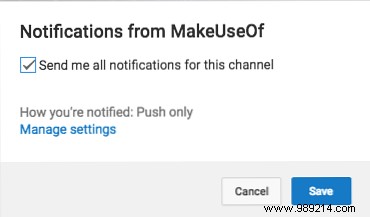
Manage options in your subscriptions feed too, choosing email, push notifications, or both.
Click Manage Settings, scroll to Channel Subscriptions, and select from the dropdown: email only, push only, or all.
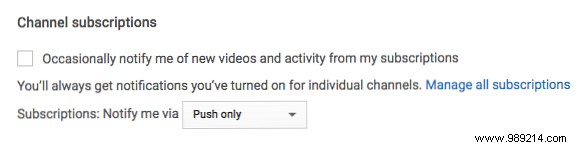
Or go via the gear icon to YouTube settings > Notifications.
Note: There's no central list of enabled notification channels—visit the channel to toggle off.
Do YouTube notifications keep you updated? Tell us in the comments!
