Family Encyclopedia >> Entertainment

How to Manually Add Custom Album Artwork to iTunes: A Step-by-Step Guide

As a longtime Apple Music user with years of experience curating large libraries, I've seen how custom album art can dramatically enhance iTunes' visual appeal. While iTunes has improved, simple tweaks like this make it even better. For more tips, check out How to Make iTunes Usable Again in 7 Simple Steps.

Purchased tracks often include artwork, but imported files or outdated covers may need manual updates. iTunes can auto-fetch art by right-clicking an album and selecting Get Album Artwork. For custom images, here's the reliable method:
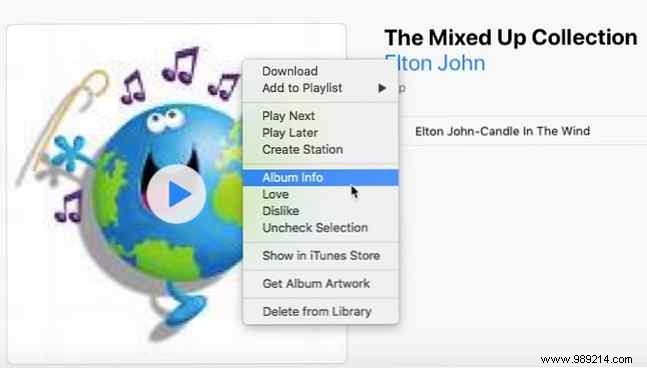

Step-by-Step: Adding Album Art Manually

  1. Right-click the album (or song) and choose Album Info.
    How to Manually Add Custom Album Artwork to iTunes: A Step-by-Step Guide
  2. In the info window, switch to the Artwork tab.
    How to Manually Add Custom Album Artwork to iTunes: A Step-by-Step Guide
  3. Click Add Artwork, then select your image from Finder (Mac) or File Explorer (Windows). Drag-and-drop works too. For best results, use 600x600 pixel images from cover art sites or your own designs.
  4. Hit OK to save. The artwork is now embedded in iTunes—you can safely delete the local file.
