As a seasoned Plex user with years of managing large media libraries, I've streamlined subtitle integration countless times. Whether for foreign films, language learning, heavy accents, or accessibility, subtitles enhance your viewing experience. Plex makes it straightforward—here's everything you need to know, from automatic downloads to local files.
Unfortunately, downloaded content often lacks subtitles. The good news? Adding them is simple. Plex pulls from trusted sources like OpenSubtitles.org, and supports manual uploads too.
Start by prioritizing OpenSubtitles.org in Plex's agents—no local files needed.
Navigate to Settings > Server > Agents. Under Movies > Plex Movie, drag OpenSubtitles.org to the top. Repeat for Shows > TheTVDB.
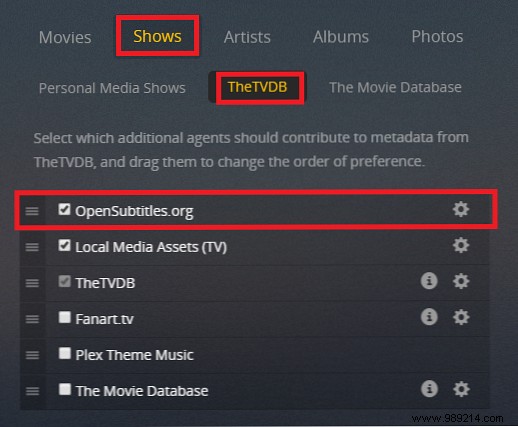
This ensures subtitles download automatically for new library additions.
Click the gear icon next to OpenSubtitles.org. Optionally add your account credentials. Select up to three preferred languages via dropdowns (e.g., English and Spanish).
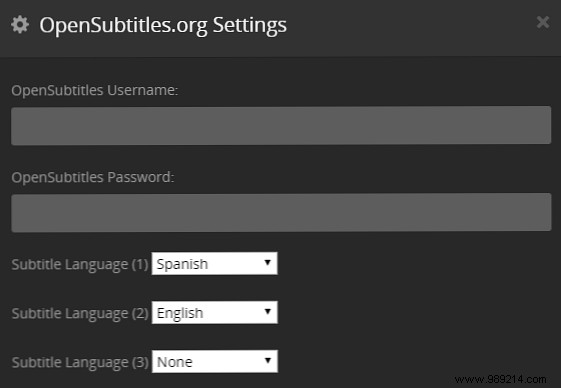
Agent changes apply to new content only. For existing libraries, refresh metadata.
On the Plex home screen, find your library, click the three dots, and select Update all metadata. Large libraries may take time.
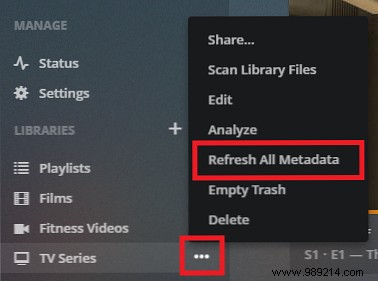
For a single item, go to it, click the three dots, and choose Refresh metadata.
OpenSubtitles.org covers most, but for rarities, try Subscene, SubtitleSeeker, or SRTFiles.
Plex supports SRT, SMI, SSA, ASS, and WebVTT. Avoid VOBSUB/PGS for compatibility.
Place files in the media folder, named precisely:
Movie Name (Year).[Language_Code].[Ext] (e.g., Cool Runnings (1993).es.srt)Show Name SxxEyy.[Language_Code].[Ext] (e.g., Red Dwarf S01E01.es.srt)Use standard ISO language codes (e.g., es for Spanish).
Scan the library: Context menu > Scan Library Files. Plex links them automatically.
On a movie or episode page, expand the subtitles dropdown to view options.
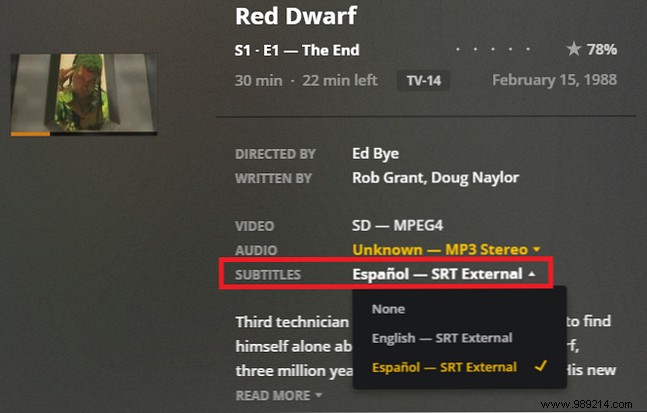
Select one to set as default for that item.
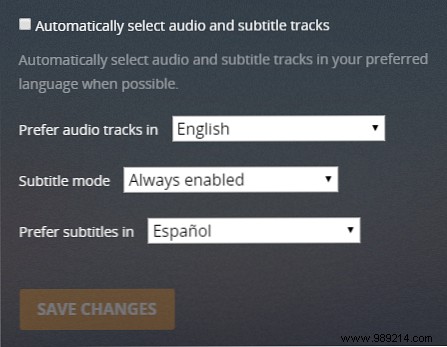
For always-on subtitles, go to Settings > Server > Languages. Uncheck Automatically select audio tracks and subtitles.
Set Subtitle mode to Always enabled and choose your language. Save changes.
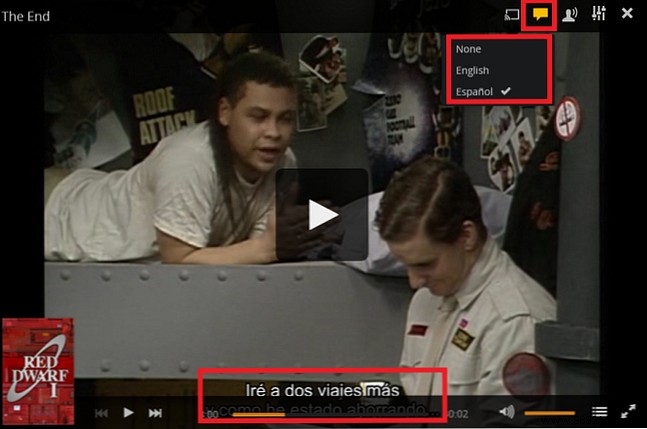
During playback, click the speech bubble icon. Pick from available subtitles.
Setup takes effort upfront but pays off forever. Prefer Plex automation, local files, or burning them in with Handbrake? Share your tips in the comments.
