Tired of irrelevant YouTube recommendations cluttering your subscriptions and home feed? No matter how many times you dismiss them, they keep returning. As experienced YouTube users know, these suggestions are driven by your watch and search history. Here's how to regain control with proven, step-by-step methods.
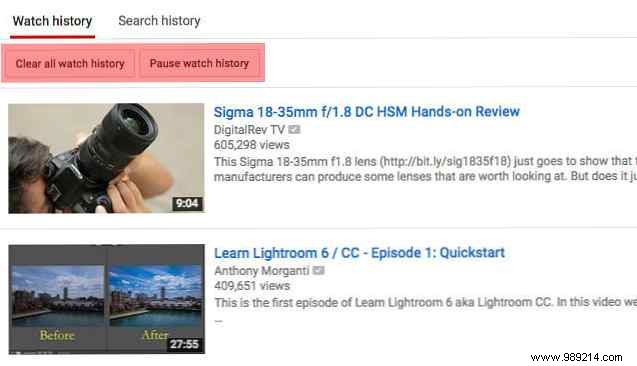
Deleting your watch and search history removes the data YouTube uses for recommendations, giving you a fresh start.
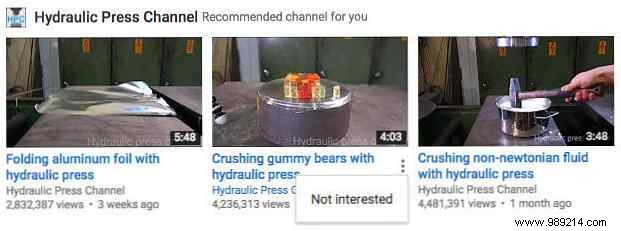
Target specific channels by providing feedback to refine your algorithm.
For advanced control, especially in Chrome, install an extension like CustomBlocker to hide unwanted elements based on custom rules.
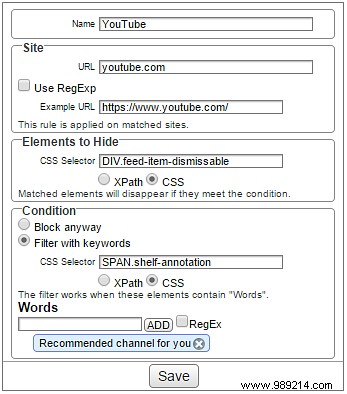
Apply filtering rules to automatically block specific channel recommendations. Similar tools exist for other browsers.
These steps, tested across devices, deliver a cleaner YouTube experience. How do you manage recommendations? Share your tips in the comments below!
