As a music lover who streams exclusively on Spotify, I've found that a quality pair of headphones pairs perfectly with the app's built-in equalizer on Android and iOS devices. This feature lets you fine-tune audio playback for a richer listening experience, rivaling owned collections.
The steps are straightforward on both platforms: Open the Spotify app, tap the menu (three lines) on the left, then select the Settings gear icon at the bottom. On Android, scroll to Playback and tap Equalizer. On iOS, go to Playback, then Equalizer.
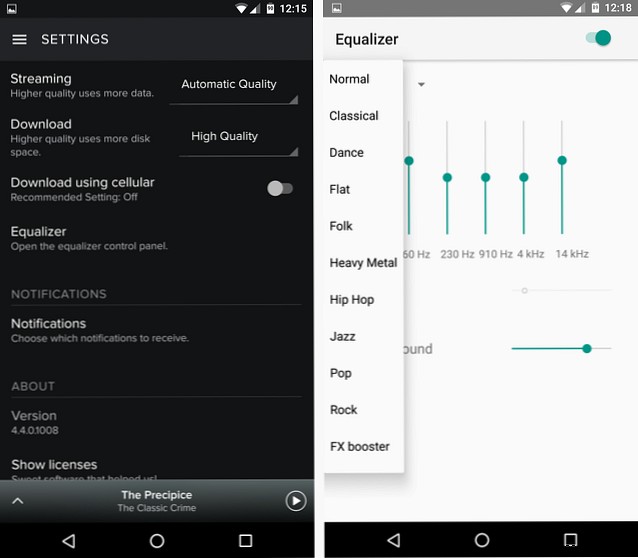
Toggle the equalizer switch to enable it, then experiment with presets while playing a track to hear real-time changes. The Rock preset works well across genres if you're unsure where to start.
Options may vary slightly by iOS version or Android device manufacturer, as OEM skins can customize the interface.
For advanced tweaks, adjust the sliders manually: left for bass, center for mids, right for treble. Your tracks will sound noticeably improved.
Android users seeking more control can explore dedicated equalizer apps.
What's your go-to equalizer preset? Share how you've enhanced your Spotify listening!
