If you're on a limited data plan, streaming music can drain your allowance fast. Drawing from years of helping users optimize their mobile usage, here are straightforward, tested steps to minimize data consumption across top apps—without sacrificing too much quality.
Key strategies include lowering audio bitrate where possible and restricting streaming to Wi-Fi only. Let's dive into app-specific tweaks.
Spotify Premium lets you download playlists for offline playback, a game-changer for heavy listeners (check if it's worth upgrading). For free or Premium users:
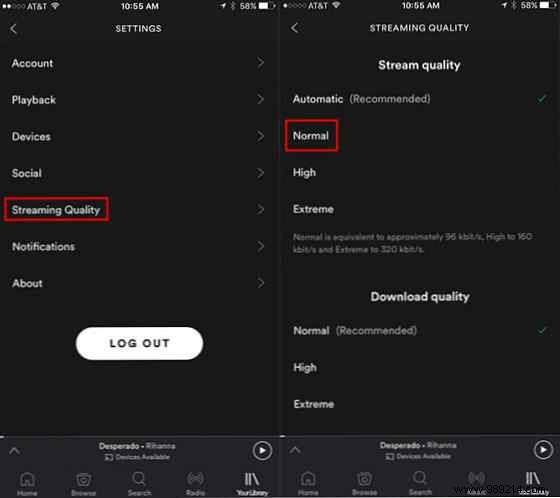
Tap Settings (gear icon) > Audio quality and choose Normal.
This sets streaming to ~96 Kbps, down from 160 Kbps (High) or 320 Kbps (Very high).
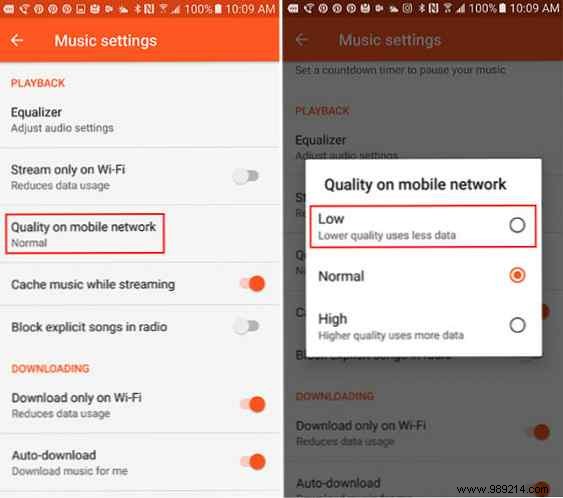
Open the app, go to Settings > Playback > Streaming quality on mobile network, and select Low.
Enable Stream only on Wi-Fi. Also toggle on Cache music while streaming for frequently played tracks.
Under Downloading, turn on Download on Wi-Fi only to avoid data hits during offline saves.
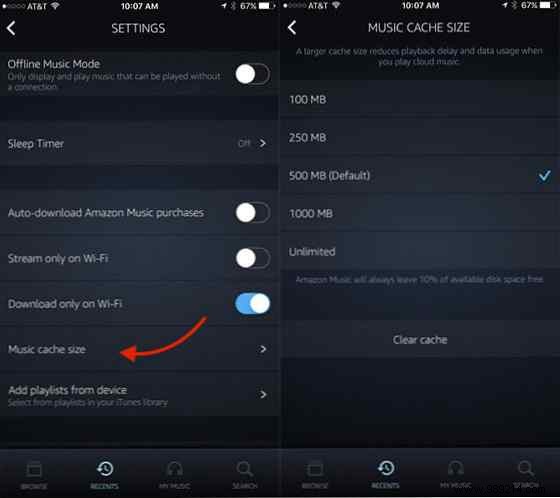
No bitrate control here, but boost your cache to cut repeat downloads: Settings (gear icon) > Music cache size.
Increase from default 500MB to 1,000MB or Unlimited (it auto-frees 10% of storage). Ensure Download on Wi-Fi only is enabled.
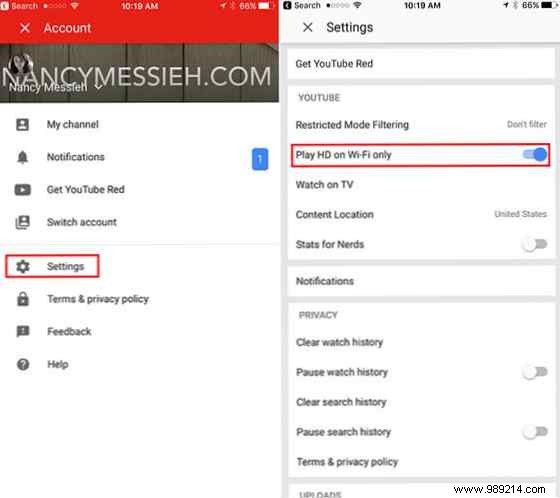
If YouTube is your go-to for tunes, tap your profile > Settings > ensure Play HD on mobile data is off (stick to Wi-Fi for HD).
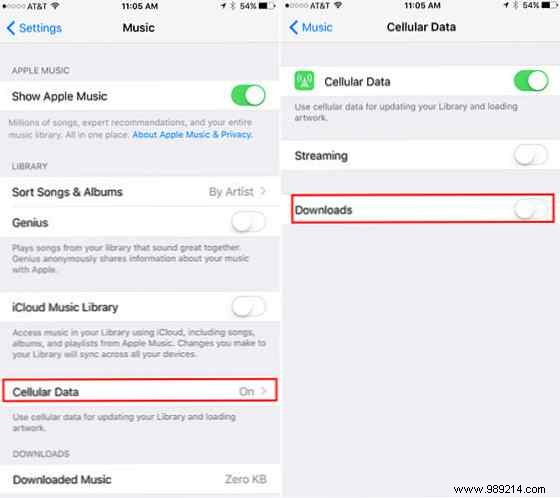
No playback quality slider, but curb download data: iPhone Settings > Music > Cellular Data.
Disable downloads—this prevents data use for library updates or artwork.
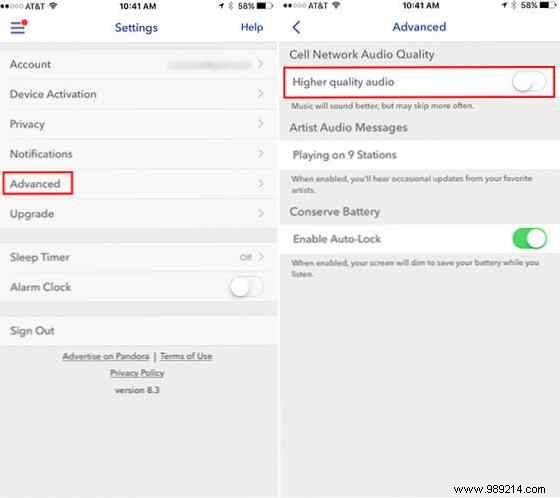
Disable high-quality audio: Hamburger menu > Settings > Advanced > turn off Higher Quality Audio (it's on by default).
Got more data-saving tips for music streaming? Share in the comments below!
