With video streaming dominating internet traffic—YouTube alone sees over 400 hours of content uploaded every minute—it's no surprise that sites like Vimeo, Dailymotion, Metacafe, and Twitch add to the data deluge. If your ISP caps your bandwidth, downloading videos for offline viewing is a smart way to save data and costs.
As a tech expert who's tested dozens of downloaders over the years, I recommend these reliable tools to capture videos from virtually any site. They support high-quality downloads, preserve subtitles, and handle playlists effortlessly. Here's my curated list:
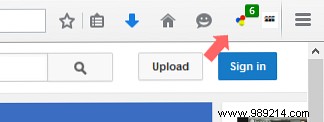
Available on: Chrome, Firefox.
Supported sites: YouTube, Facebook, Instagram, Vimeo, Dailymotion, Lynda, Twitter, Udemy, and hundreds more.
Video DownloadHelper stands out as one of the most user-friendly browser extensions I've used. It adds a simple button to your address bar—spot a video, click to download. Ideal for daily users, though it requires browser installation.
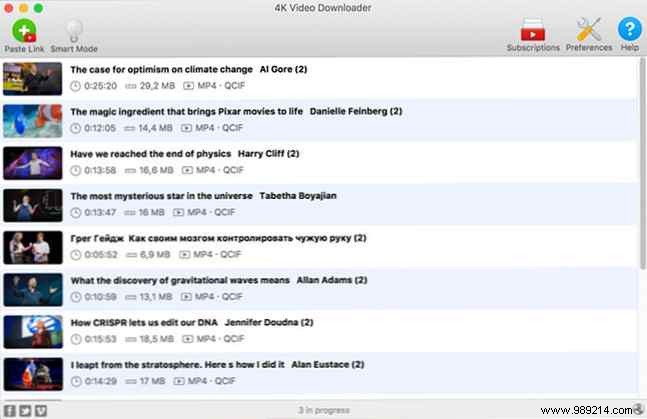
Available on: Windows, Mac, Linux.
Supported sites: YouTube, Facebook, Vimeo, Flickr, Dailymotion, and more.
For zero-fuss downloads, 4K Video Downloader is unbeatable. Paste a video URL (or entire playlists/channels), and it handles 8K, 4K, 1080p, or 720p resolutions in MP4, MKV, FLV, plus audio in MP3 or M4A. Subscribe to channels for automatic new video grabs, complete with subtitles and annotations.
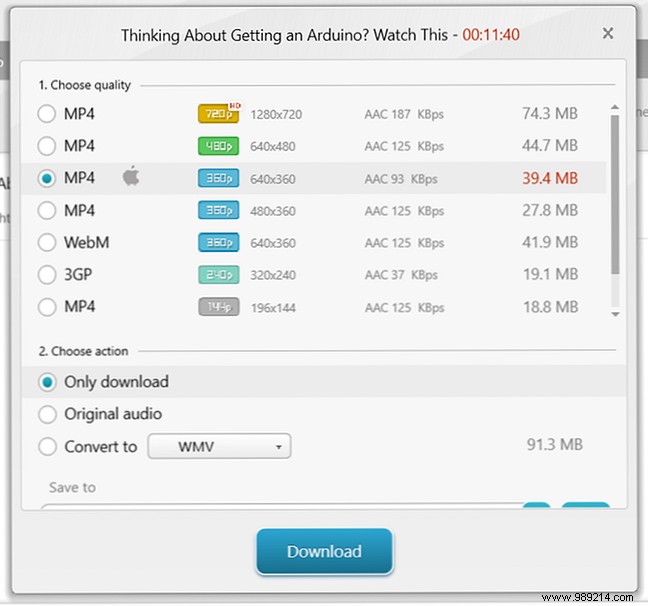
Available on: Windows.
Supported sites: YouTube, Facebook, Liveleak, Veoh, Vimeo, Dailymotion, and dozens others.
A free favorite for Windows users, Freemake offers flexible formats like AVI, FLV, MKV, MP4, WMV, or MP3 audio. Just paste the URL—simple and reliable, based on my hands-on tests.
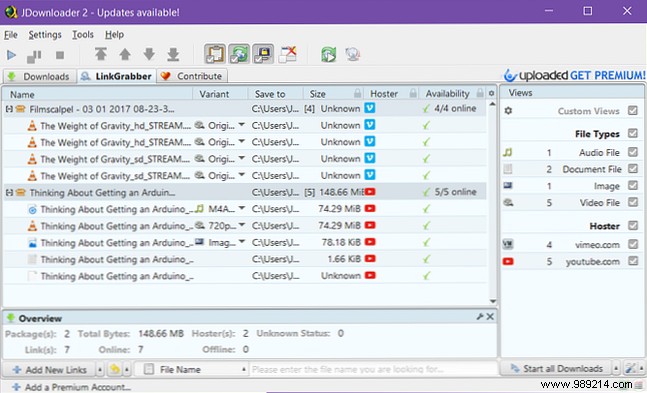
Available on: Windows, Mac, Linux.
Supported sites: Virtually any streaming site.
JDownloader excels at bulk detection: paste any page URL, and it scans for all videos. Perfect for articles with multiple embeds. Installer tip: Decline bundled offers like Bing Search to avoid extras.
Available on: Windows, Mac, Linux.
Supported sites: YouTube, Facebook, HBO, Metacafe, Vimeo, Dailymotion, and thousands more.
For power users comfortable with command-line tools, youtube-dl delivers unmatched flexibility—custom qualities, playlists, speed limits, subtitles, and formats like 3GP, AAC, FLV, M4A, MP3, MP4, OGG, WAV, WEBM. Check the docs or try the youtube-dl-gui frontend for easier access.
If a video evades these tools, play it fullscreen and record with a trusted screen recorder. Or use VLC with the direct URL for streaming capture. Always respect site terms and copyrights.
