As a leading music streaming service with hundreds of millions of users—many paying subscribers—Spotify dominates the market ahead of competitors like Apple Music. However, its vast user base, device support, and massive catalog mean occasional glitches are inevitable.
We've troubleshooted these issues extensively and compiled the 10 most common Spotify problems below, with reliable step-by-step fixes based on official guidance and real-world testing.
Learn more about using Spotify at the end.
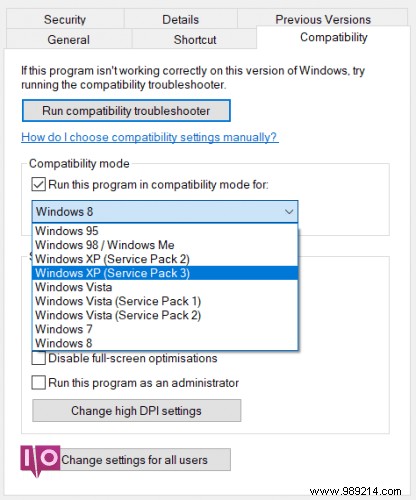
This persistent Windows issue causes Spotify to crash just before launching, despite years of reports.
AdvertisementFix:
If needed, boot into Safe Mode and repeat.

Spotify's desktop app lets you blend local tracks with streaming playlists—a standout feature.
AdvertisementRecent updates changed the process: Go to Edit (Windows) or Spotify (Mac) > Preferences > Local Files. Enable scanning for iTunes or your music library, or point to custom folders.
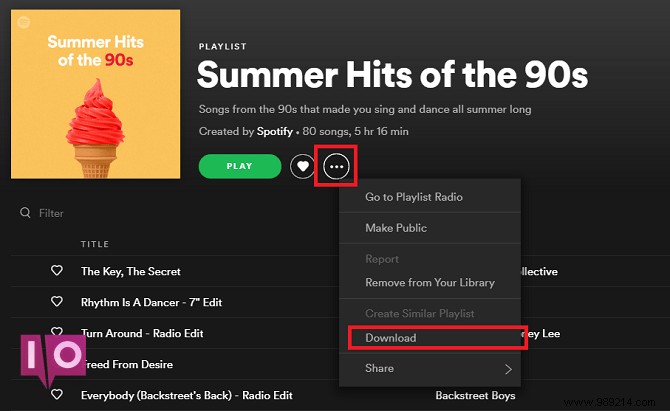
Offline mode is ideal for data-saving on the go, but you're limited to 10,000 songs per device.
AdvertisementExceed this? Delete offline tracks. Toggle Download off/on via the More menu, or clear cache (detailed later).
Spotify's up to six Daily Mixes blend your library with algorithm-suggested tracks by genre, found in Your Library > Made for You.
Missing? Log out/in. Still gone? Reinstall the app, per Spotify's official advice.
Advertisement
Hacks are common; past breaches like 2016 exposed credentials.
Unfamiliar play history, odd Discover Weekly suggestions (e.g., unlistened genres), or sudden logouts signal compromise.
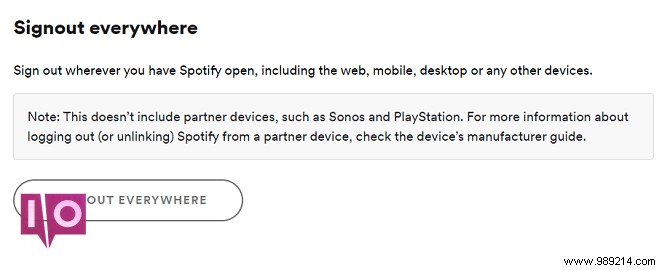
If accessible: Visit Account Overview > Sign Out Anywhere, then change password (and Facebook's if linked).
Lost access? Contact Spotify via their form, @SpotifyCares on Twitter, or Facebook.
For device-specific glitches like blank screens or skipping: Log out/in first.
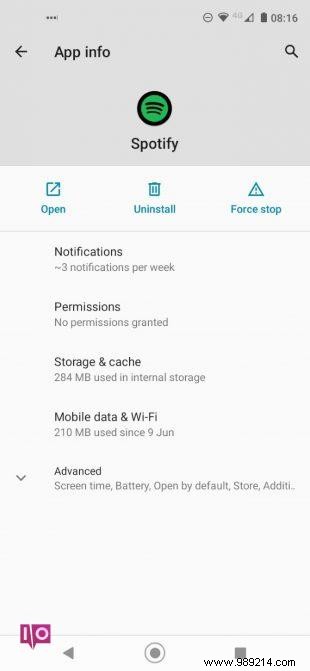
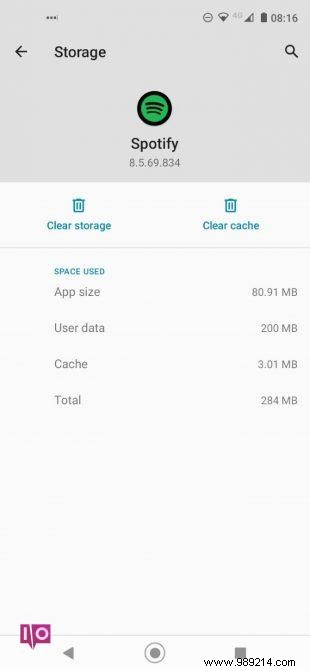
Clear via Settings > Apps > Spotify > Storage & Cache > Clear Cache/Data. Delete these folders if present:
Uninstall/reinstall from Play Store.
These can kill Spotify processes. Uninstall or whitelist Spotify.
No system cache clear on iOS. In-app: Home > Settings > Storage > Clear Cache.
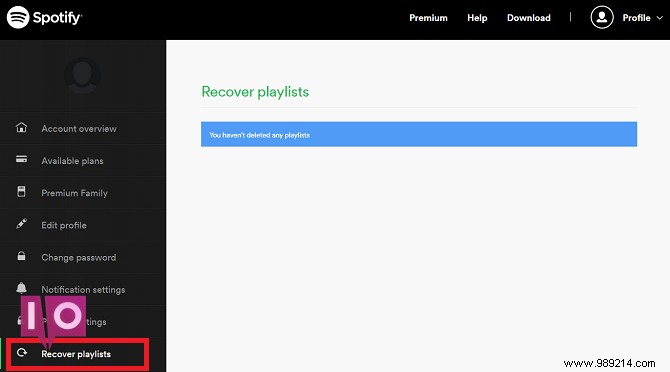
Playlists take effort—recover via website: Retrieve Playlists > Restore.
Crunchy audio? Enable More > Display > Hardware Acceleration. Note: May slow older PCs.
Check mute/volume mixer: Windows (right-click tray > Volume Mixer), Mac (Option + speaker icon). For mobile headphones, clean jack with compressed air.
For other issues, check Spotify's support, forums, or r/Spotify. See our guide on managing playlists.
