As gaming consoles evolve, they've become powerful media hubs capable of streaming movies, playing music, and even integrating live TV. In this head-to-head comparison, we pit the PlayStation 4 (PS4) against the Xbox One to determine which delivers the superior multimedia experience. Drawing from hands-on testing across models like PS4 Slim, PS4 Pro, Xbox One S, and beyond, here's our expert breakdown.
Physical media remains relevant for many, offering pristine quality without buffering. Both consoles handle DVDs and Blu-rays effectively, but let's examine the details.
Pop a Blu-ray into your PS4, and it appears on the home screen with a custom icon and artwork. Playback starts instantly via the controller: L2/R2 for fast-forward/rewind, L1/R1 to skip chapters, and the touchpad for 15-second jumps. Access a quick menu for languages, disc menu, or controls. Press Square for scene selection and extras.
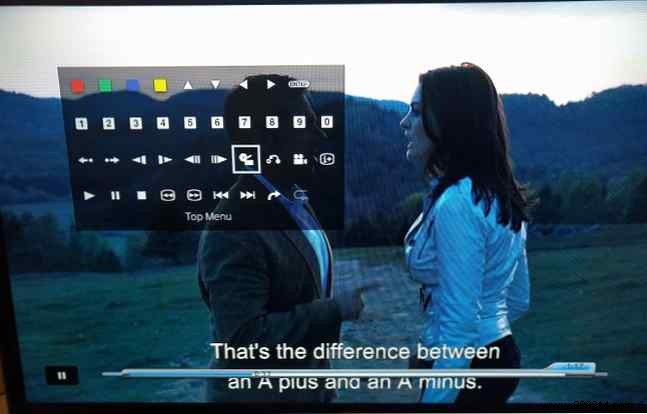
Hold Options for a full command grid, though it's clunky—stick to basics or grab the optional PS4 Media Remote. DVDs work similarly but with fewer features.

First-time Blu-ray users download the free app (quick install). Controls mirror PS4 functionality: skip, FF/RW, subtitles, and disc menu. The command menu uses icons without labels, making it slightly less intuitive.
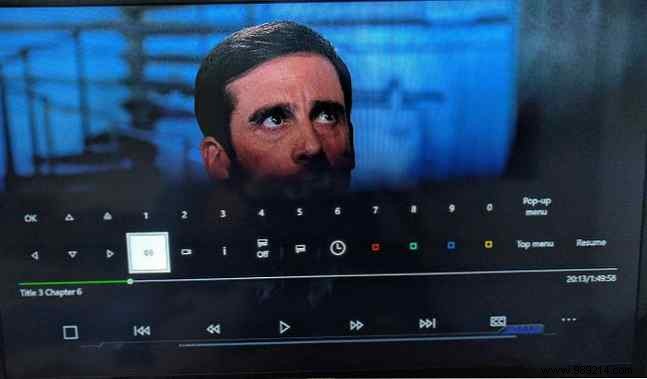
DVDs perform identically.
Xbox One edges ahead here—it plays audio CDs (via a free app), while PS4 does not. Note: MP3 CDs or background play aren't supported.
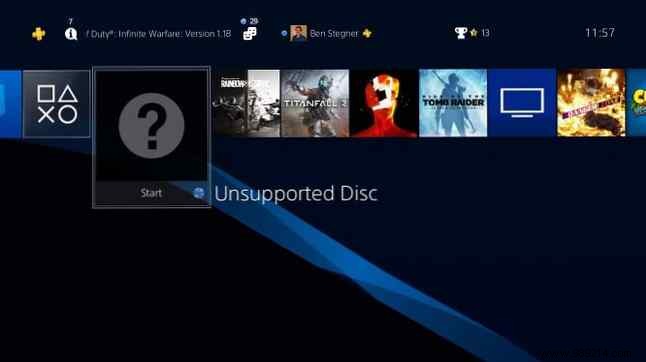
Winner: Xbox One
Both excel at discs, but CD support tips the scale for physical media enthusiasts.
Streaming dominates modern viewing. We tested Netflix, the most popular service, on both.
Download the app from the TV & Video folder, log in, select profiles, and browse. Navigation uses D-pad; Triangle for search. Identical to other devices.
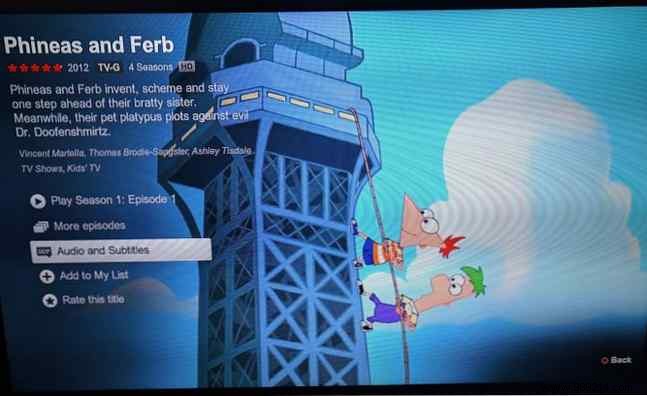
Install from Store > Explore Apps. Same interface and features as PS4.

Winner: Tie
No discernible differences.
Both support a wide array of services.
TV & Video > All Services reveals: Crackle (free movies/TV), Hulu (shows, VR-compatible), Crunchyroll (anime), Amazon Video, NHL.TV, YouTube, PlayStation Vue, Plex, HBO GO, Media Player (USB/server), Twitch, plus EPIX, Tubi TV, CBS All Access, NBA, etc.
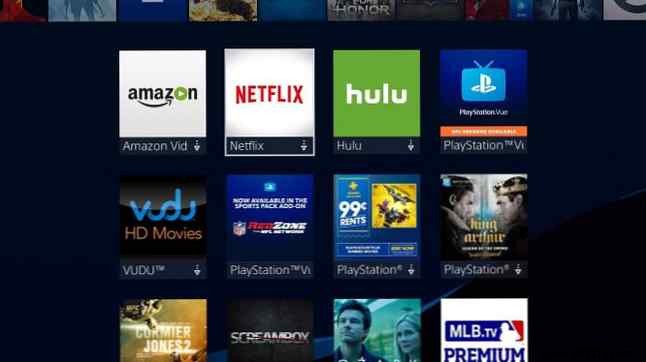
Store > Explore Apps > All Apps (filter Entertainment). Includes Hulu, Vudu, Twitch, Amazon, Crunchyroll, plus Movies & TV, Sling TV, STARZ, VLC (local/network media).
Winner: Tie
Your subscriptions dictate availability; both cover majors.
Spotify (free/premium, background play via quick menu) shines. iHeartRadio (free) and SiriusXM (paid) lack background support.
Groove Music (Microsoft's Spotify rival, $10/mo Pass, OneDrive integration). Plus SoundCloud, Pandora (free), iHeartRadio, VLC (USB). Most support background play except SoundCloud.
Winner: Xbox One
More apps with background playback.
Xbox One's rear inputs + OneGuide app enable cable/satellite/OTA TV integration. Plug your set-top box into Xbox, switch inputs seamlessly, pause live TV (30 min), Kinect volume control, and picture-in-picture with games.
Winner: Xbox One
Unique all-in-one TV hub.
Base models handle 1080p/HDR. PS4 Pro (powerful, 4K games/video streaming, no UHD Blu-ray). Xbox One S ($250, 4K streaming/UHD Blu-ray/HDR). Xbox One X adds 4K gaming.
Winner: Xbox One
One S delivers UHD Blu-ray and 4K streaming at half Pro's price.
Xbox One—especially the One S—is the top media player. It wins on CDs, music options, TV integration, and affordable 4K. PS4 prioritizes gaming exclusives and VR.
Prefer dedicated media? Repurpose an old Android device. PS4 or Xbox One owner? Prioritize games or media? Share below!
