While Spotify dominates streaming, many music lovers—myself included—prefer a local collection. Top free players like those for Windows let you enjoy music offline with full control.
Consider these ownership perks over streaming:
Yet large iTunes libraries often battle duplicates. As someone who's managed massive collections, here's the reliable, built-in way to eliminate them.
This handles libraries of any size flawlessly.
Note: Back up your library first to safeguard your files.
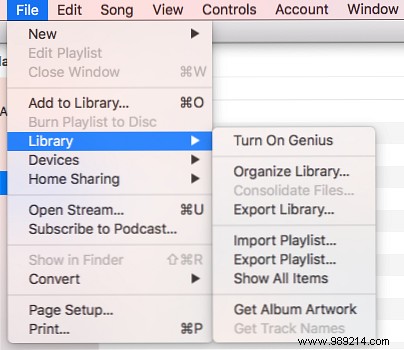
Open iTunes, then go to File > Library > Show Duplicate Items.
Duplicates list in the main window. It shows all copies—keep at least one per track!
The basic tool catches similar tracks too, like live vs. album versions.
For exact matches: Hold Shift (Windows) or Option (Mac) while selecting File > Library > Show Exact Duplicate Items.
Share your iTunes tricks or if you still use it in the comments!
