If you're using Plex to manage your personal media library, smooth streaming relies on efficient transcoding. Plex automatically converts files to suit your device, but server speed can cause hiccups. As a longtime Plex user and media enthusiast, I've found the built-in Optimizer tool transforms playback reliability.
Plex Optimizer pre-converts your videos for flawless quality on any device, no matter your setup.
Selectively optimize key files ahead of time—perfect for movies you plan to watch on the go.
Launch Plex in your browser, navigate to your video (or search for it). Hover over the poster image to reveal the three-dot menu, then select Optimize.
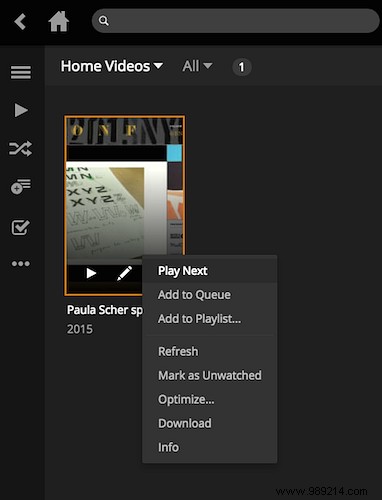
This opens options: optimize for smartphone, TV, original quality, or custom settings.
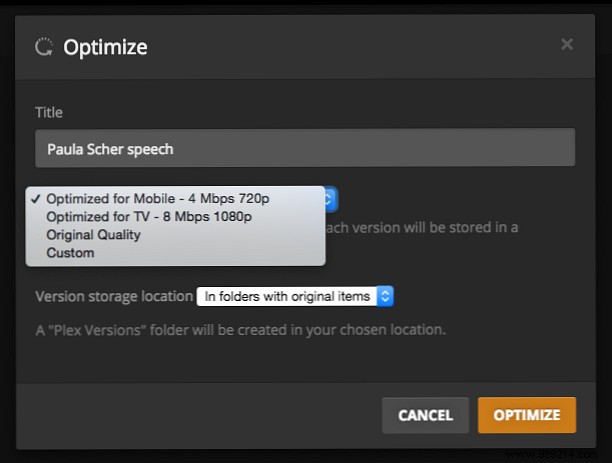
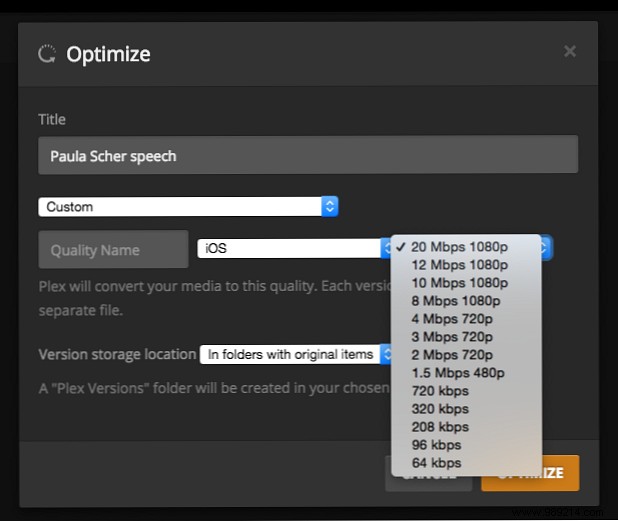
Custom lets you target Android, iOS, Windows Phone, Xbox One, and more—even adjust speed and frame rate.
For a full walkthrough of the process in action, check the video below.
Got Plex pro tips? Share them in the comments below!
