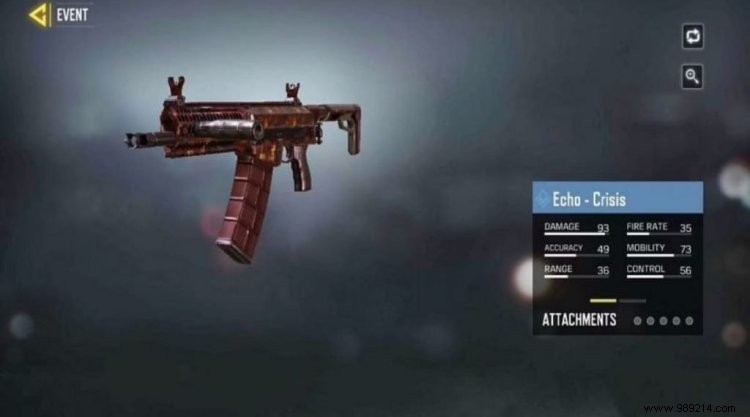
Call of Duty Mobile Season 2 is nearing its end, bringing a flurry of in-game events packed with rewards. Dive into the Shoot the Ship event with our expert guide to snag the free Crisis skin for Echo—one of the standout prizes among five unique rewards.
Shoot the Ship Event: Earn the Crisis Skin for Echo

As experienced COD Mobile players, we've mastered events like this. The Shoot the Ship event rewards points for completing targeted tasks in the dedicated 24/7 playlist. Hit key milestones to unlock exclusive items, including the highly sought-after Crisis skin.
Tasks
- Play 1 match in Shoot the Ship 24/7 playlist: 10 points
- Play 3 matches in Shoot the Ship 24/7 playlist: 10 points
- Play 10 matches in Shoot the Ship 24/7 playlist: 20 points
- Win 3 Shoot the Ship 24/7 playlist matches: 10 points
- Use any throwable item 5 times in Shoot the Ship 24/7 playlist matches: 10 points
- Use scorestreaks 3 times in Shoot the Ship 24/7 playlist matches: 20 points
- Get 15 assault rifle kills in Shoot the Ship 24/7 playlist matches: 10 points
- Get 10 headshot kills in Shoot the Ship 24/7 playlist matches: 10 points
- Get 30 kills in Shoot the Ship 24/7 playlist matches: 20 points
- Get 50 kills in Shoot the Ship 24/7 playlist matches: 20 points
Rewards
Accumulate points to claim these progressively:
- 5 Weapon XP Cards: 50 points
- 300 Credits: 60 points
- Fennec (Ripped Camo): 80 points
- Doomsday in-game sticker: 100 points
- Crisis Skin for Echo (Free): 120 points
How to Access and Play Shoot the Ship
- Open the COD Mobile app and head to the Events section, then select Featured.
- Locate the Shoot the Ship event to view all missions and tasks.
- Jump into the 24/7 playlist on the Expedition map with randomized close-quarters modes.
- Opt for shotguns or SMGs for close combat dominance and faster task completion.
Related: Call of Duty Mobile: TiMi Studios Hits $10 Million Revenue Milestone
