Netflix's Windows 10 app lets you download movies and TV shows for offline viewing, but it doesn't allow changing the download location or easy access to the files. If your drive is filling up, knowing the exact folder path helps you manage space effectively by moving files manually—then copying them back when needed.
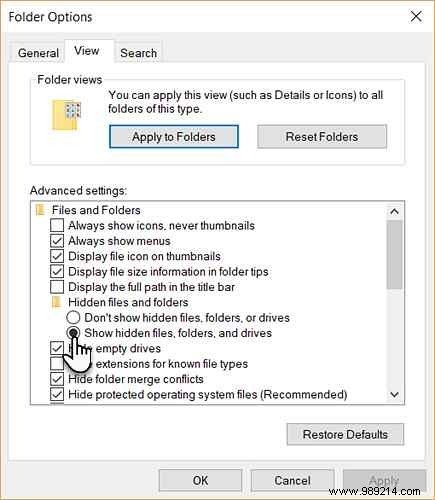
C:\Users\[USERNAME]\AppData\Local\Packages\4DF9E0F8.Netflix_mcm4njqhnhss8\LocalState\offlineInfo\downloadsReplace [USERNAME] with your Windows username. Alternatively, paste C:\Users\, select your user folder, and append the rest of the path.
The folder will be empty until you download content via the Netflix app. Once downloaded, you'll see files here—the largest ones are your media files.
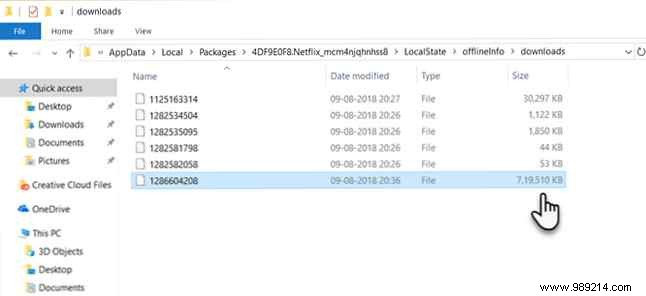
Files lack descriptive names, so identification is tricky. Renaming them prevents the Netflix app from recognizing them, and they won't play in other media players.
For now, this location helps with disk management. New to Netflix downloads? Check our guide on How to Download Movies and TV Shows on Netflix. Facing other issues? See How to Fix the 10 Most Common Netflix Problems.
