With streaming services like Netflix and Amazon Prime Video dominating entertainment, choosing the right device can be overwhelming for newcomers. The Amazon Fire TV Stick stands out as a top choice thanks to its affordability and compact design that plugs directly into your TV's HDMI port.
In this guide, drawn from hands-on experience with streaming tech, we'll break down what the Fire TV Stick is, how it operates, and key details to help you decide if it's right for you.
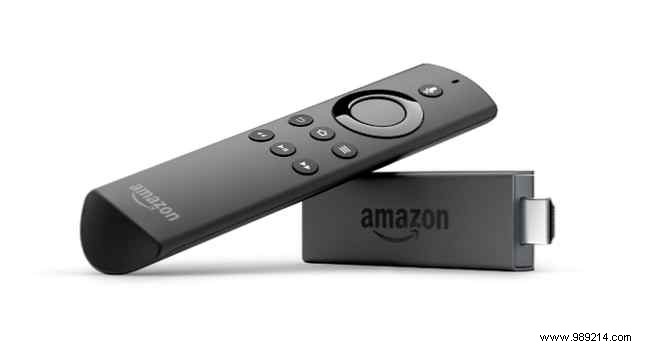
Unlike bulkier streaming boxes, the Fire TV Stick is a sleek dongle, roughly the size of a USB drive—3.4 inches tall and 1.2 inches wide. It features a standard HDMI connector that plugs straight into your TV's HDMI port, provided it's HDCP-compliant (standard on modern TVs).
Simply connect the included micro-USB power cable, select your Wi-Fi network, and you're set. It comes with an Alexa Voice Remote for easy navigation and voice commands, including playing music hands-free by pressing the mic button.
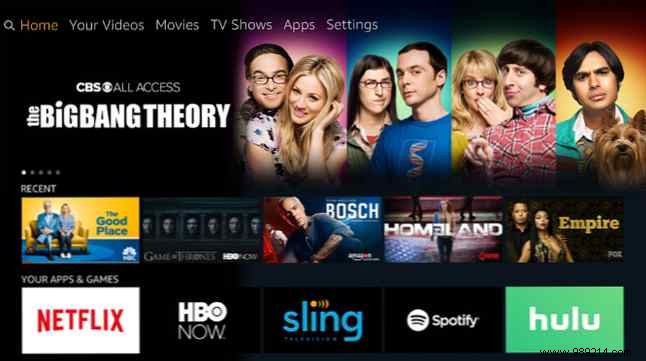
The Fire TV Stick shines with its vast content library. Seamlessly stream Amazon Prime Video titles—check out our picks for the 20 best movies on Amazon Prime. It also supports Netflix, HBO Max, Hulu, Sling TV, and more, making it ideal for cord-cutters.
Setup is straightforward: Sign in with your Amazon account and pair the remote. The intuitive interface features six main sections—Search, Home, Movies, TV, Apps, and Settings. Navigate via the remote's trackpad or use Alexa voice commands to search content, launch apps, control playback, and more.
Amazon offers a wide app selection, and since it runs on Fire OS (Android-based), you can sideload Android apps using methods for phones, PCs, or Macs—see our guide to adding apps.
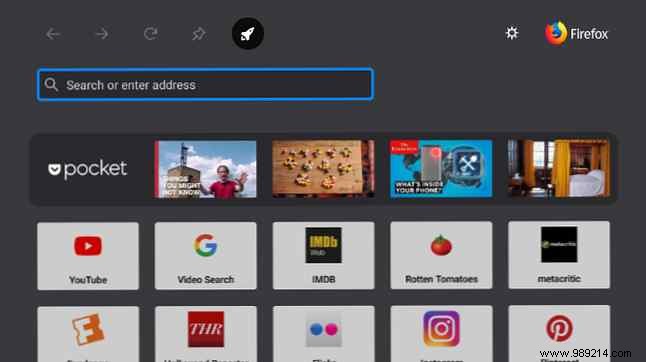
No need to sideload a browser; compare top options like Firefox vs. Silk for web surfing.
Parental controls let you set a 4-digit PIN to restrict Teen-rated content and purchases. Use the free Fire TV app on iOS/Android for remote control, or pair with an Amazon Echo for hands-free operation.
Available directly from Amazon, Best Buy, or Target. Choose between:
Fire TV Stick 4K ($49.99): Ultra HD streaming, improved Wi-Fi, and enhanced Alexa remote with power/volume buttons.
Fire TV Stick 4K with New Alexa Voice Remote, Live Streaming Media Player Buy Now on Amazon $49.99
Standard Fire TV Stick ($39.99): Full HD, same apps/content, basic Alexa remote. Explore our essential apps list.
In the box: Stick, remote, batteries, power adapter, HDMI extender for better signal and port flexibility.
The Fire TV Stick delivers powerful streaming in a tiny package at a budget price, with broad service support. New users, follow our setup guide for a smooth start.
