Imagine Jeremy Irons, Jake Gyllenhaal, Bryan Cranston, or Kate Winslet narrating directly to you. Amazon's Audible, the world's leading audiobook platform, delivers that magic. But if you're ready to cancel your subscription, here's a straightforward, expert-backed guide to do it in six easy steps.
As an avid audiobook enthusiast with years of experience testing services like Audible, I get it: "Is Audible worth it?" That's a common question. Whether it's cost, recommendations, or lifestyle changes, valid reasons exist for canceling. Let's explore them and walk through the process safely.
Common Reasons to Cancel Audible
Audible excels for audiobook fans, but personal factors can shift priorities. Here are frequent triggers:
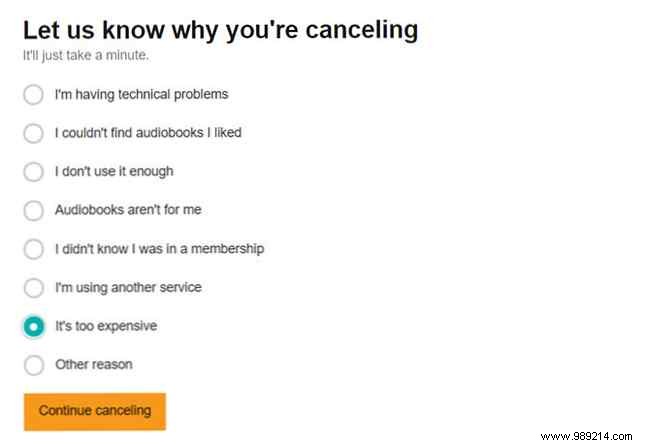
- The monthly fee feels steep for just one credit.
- Recommendations miss the mark, skipping titles you crave.
- Your listening habits changed—like less commuting.
- You retain more from reading than listening.
- Cheaper audiobook alternatives appeal more.
Your reason might differ, but Audible streamlines cancellation with minimal hassle.
Step-by-Step: How to Cancel Audible Subscription
Ready to proceed? Follow these proven steps (desktop only—mobile apps won't work):
- Log in to the Audible desktop site.
- Click the dropdown arrow by your name and select Account Details.
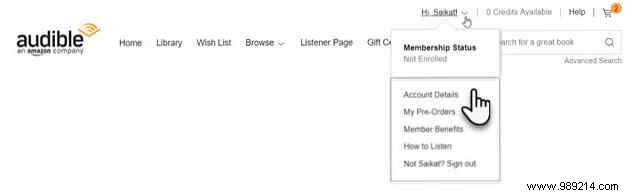
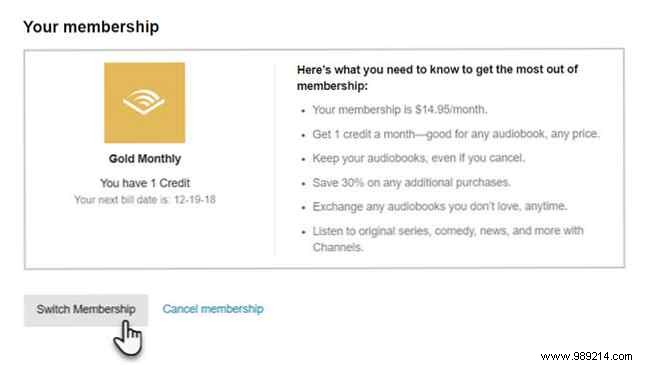
- In the "View Membership Details" section, click Cancel Membership at the bottom.
- Share feedback on your cancellation reason, then click Cancel Membership.
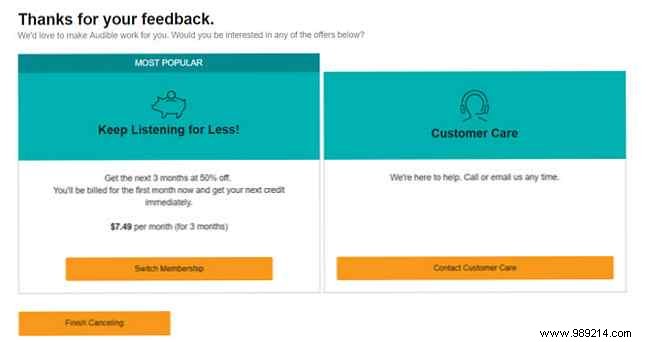
- Audible may offer retention deals like prepaid plans. Decline and continue if uninterested.
- Confirm via email. You'll receive automated proof of cancellation shortly after.
Stuck? Visit Audible's Customer Service for support.
Key Considerations Before Canceling Audible
Amazon's Help page flags these essentials—heed them to avoid surprises:
- Recurring plans only: Prepaid memberships auto-expire; no cancellation needed.
- Desktop required: Use browsers like Chrome or Safari on mobile for desktop view.
- Lose unused credits: Redeem them first—no transfers possible.
- Retain your library: Keep listening to purchased audiobooks indefinitely.
- Time it right: Cancel pre-billing cycle, especially post-trial, to dodge charges.
- No member perks post-cancel: Buy books anytime, but miss discounts, exchanges, and returns.
5 Alternatives to Canceling Your Audible Account
Before finalizing, consider these expert-recommended options to pause or adjust:
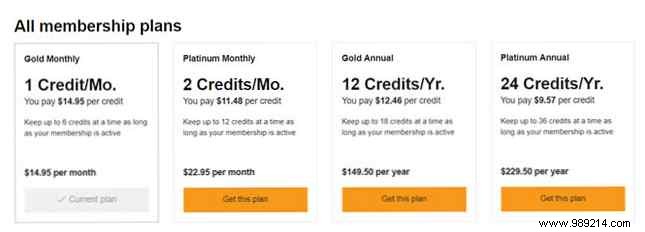
- Switch plans: Opt for cheaper tiers via Change Membership under "Your Membership."
- Pause membership: Available in select regions (e.g., US/UK) for recurring plans—1-3 months hold, once per 12 months. No fees or new credits.
- Accept special offers: Cancellation flow often unlocks discounts for 3 months to rebuild habits.
- Use promo codes: Slash fees with valid Amazon Audible promotions.
- Share via Family Library: Set up Amazon Household for multi-user access.
Farewell to Audible?
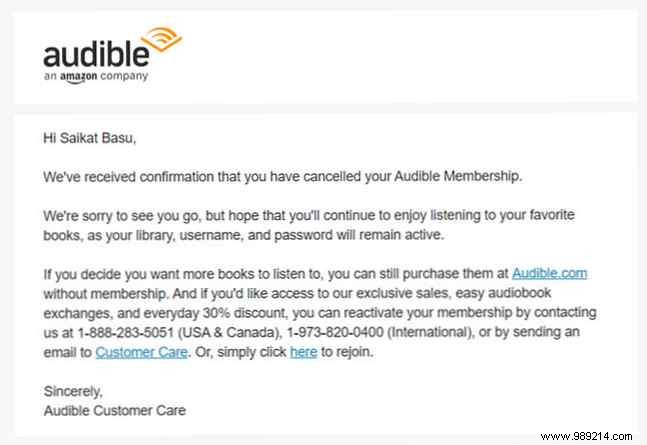
If time constraints persist, cutting ties makes sense. Audible's process is user-friendly despite retention nudges—note the subtle blue confirm button. For cost-savvy users, explore insider tips to maximize value first.
