Valorant has skyrocketed from a promising FPS newcomer to a global gaming phenomenon in just one year. Unfortunately, this success has also led to a rise in account thefts, leaving players vulnerable and frustrated.
Riot Games has stepped up with a reliable solution: two-factor authentication (2FA). As experienced Valorant players and security experts, we've guided countless gamers through this process to safeguard their accounts from hackers and unauthorized access. Follow our straightforward steps below.
Read more: Valorant KAY/O Agent Contract: KAY/O Gun Buddy, KAY/O Classic, and more.
Valorant, the intense 5v5 ability-based tactical shooter dominating PC esports, demands top-tier account security. If your email isn't verified yet, start there before proceeding.
With valuable in-game items like skins and agents at stake, account compromises have surged. Riot's head of security notes: "Every time you try to log in, you receive an email containing a unique six-digit code. Simply enter this code into the prompt, then continue logging in as normal. And that's really all there is to it!"
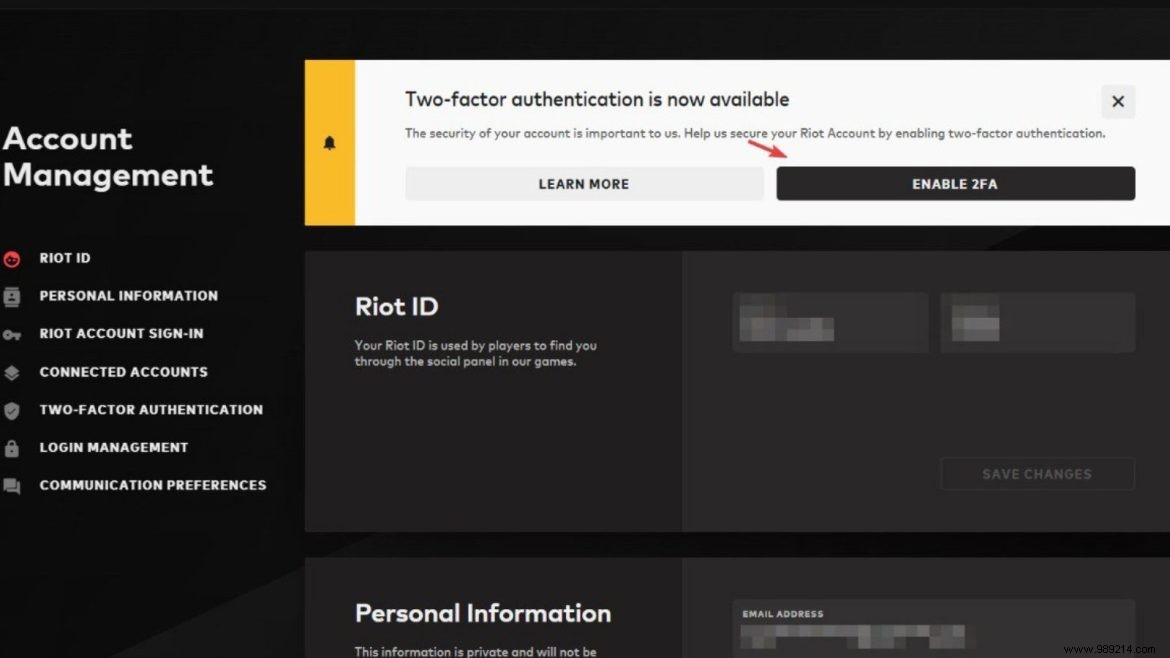
Here's how to enable 2FA on your Riot account:
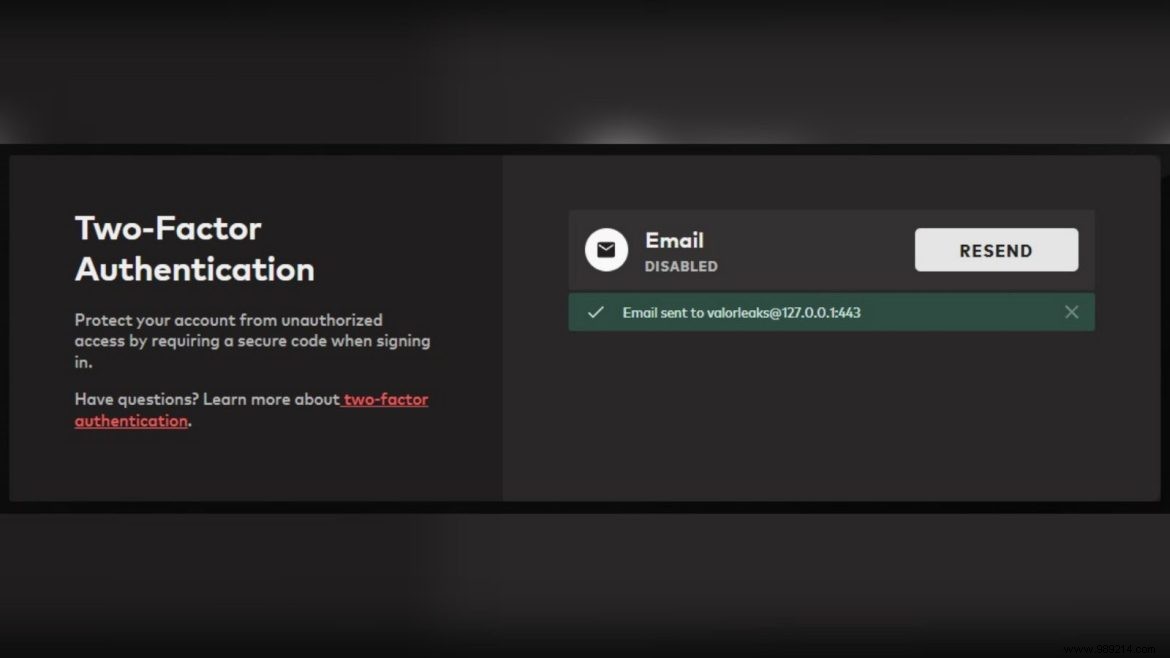
Riot officially announced: "Finally, you can add multi-factor authentication to your Riot account!" This email verification ensures only you can access your login. We highly recommend enabling it for peace of mind.
For convenience, check the "Remember this app for 30 days" box below the MFA code field. This skips re-entry for a full month on trusted devices.
