Best Sensitivity Settings for Free Fire MAX: Free Fire MAX delivers an immersive battle royale experience with extensive customization options. From character skins and visuals to core gameplay tweaks like controls, sensitivity, and display settings, players have the freedom to tailor the game to their style.
Controls and sensitivity are pivotal for precise aiming, smooth movement, and landing headshots. With practice and optimized settings, you can dominate both close-quarters and long-range engagements. Drawing from extensive testing, here are the top sensitivity settings for Free Fire MAX to elevate your aim.
Read more: Top 5 Most Subscribed Free Fire YouTubers in India for October 2021
Launched globally on September 28, 2021, alongside the OB30 update, Free Fire MAX introduces enhanced graphics, Craftland for custom maps, a 360-degree lobby for showcasing cosmetics, and refined mechanics. Powered by Firelink technology, it seamlessly connects with the original Free Fire, offering cross-play compatibility.
While new visuals may feel different at first, core gameplay remains consistent. If your sensitivity worked well in Free Fire, start there and fine-tune for MAX.
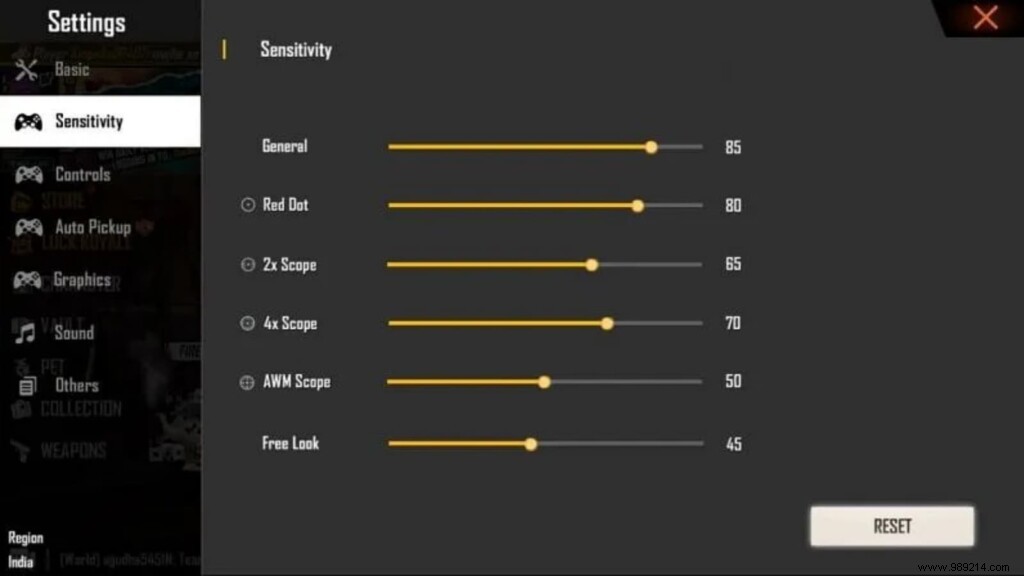
Optimal Free Fire MAX Sensitivity for Headshots (Low-End Devices: ≤4GB RAM)
Optimal Free Fire MAX Sensitivity for Headshots (High-End Devices: >4GB RAM)
These settings are battle-tested starting points—adjust based on your device and playstyle. Head to the training grounds to experiment, and grind practice for muscle memory. Check our headshot tips guide for more pro advice.
Best Free Fire Character Combos with Chrono After OB30 Nerf
