With Kodi frequently in the headlines, many wonder: What are Kodi boxes, and are they legal? Kodi itself is free, open-source software for media playback—perfectly legal. Issues arise with 'fully loaded' boxes pre-installed with pirated add-ons, drawing backlash from broadcasters and authorities. Vendors of such devices have faced legal consequences.
Don't let the negativity deter you. Alongside Plex, Kodi is a must-have app for building your ultimate home theater. If you're new to Kodi and unsure where to begin, these seven proven tips will help you get the most out of it—legally and efficiently.
Once you dive into Kodi, you'll discover endless customization options. Replicating setups across devices is impractical due to constant tweaks and updates.
Fortunately, Kodi shines on multiple devices. Enable the Web interface for easy remote access to your media and add-ons via any browser.
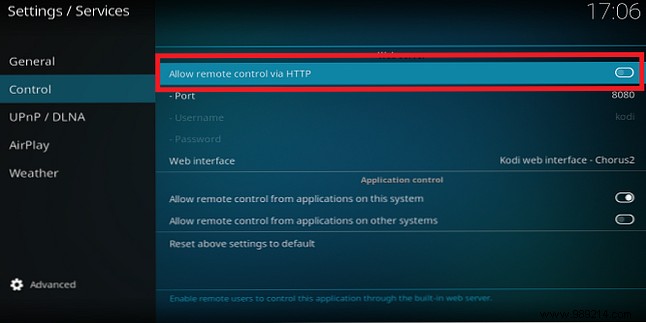
To activate: Go to System > Services > Control and toggle Allow remote control via HTTP. Use the default port.
On another device, enter [your Kodi device's IP]:[port], like 192.168.5.20:8080.
Streaming live TV or online content? Even fast internet buffers due to high user demand. Tweak add-on quality first, but for a global fix, increase Kodi's cache via advancedsettings.xml.
Locate the file by OS:
Edit these lines:
Save and restart Kodi—buffering woes gone.
Skip shady add-ons for live TV or VOD; they're unreliable and risky. Opt for official Kodi repository add-ons, pre-installed and vetted.
Discover BBC iPlayer, Al Jazeera, ESPN for live TV, plus VOD from ABC, NBC, Crunchyroll, and more.
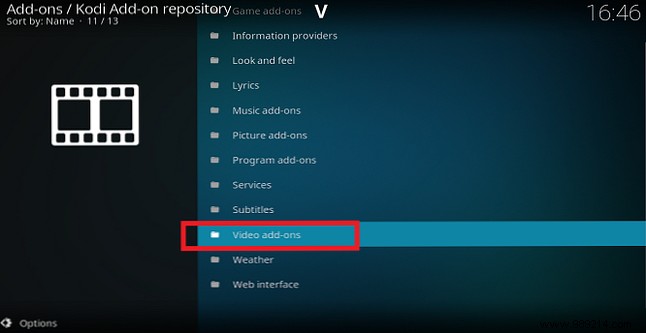
Install: Add-ons > Browse add-ons > Install from repository > Kodi Add-on Repository > Video add-ons. (Note: Availability and legality vary by location—e.g., BBC iPlayer requires a UK TV license.)
Kodi excels beyond video. Activate the live ticker for news at screen bottom (default in v16; manual in v17+).
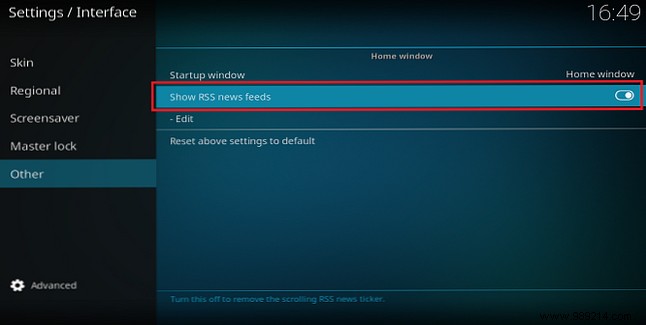
Enable: System > Interface settings > Others > Show RSS feeds. Edit to add your feeds after installing the RSS add-on.
Beyond video, explore 17 categories. Key ones: Look and Feel (skins, screensavers), Weather (Met Office, Weather Underground), Picture (Flickr, Facebook).
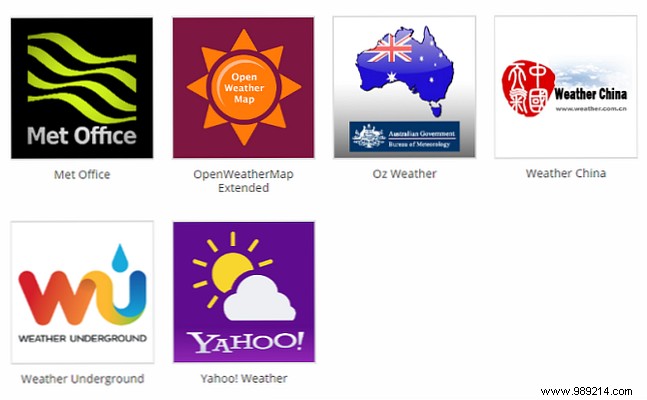
Access: Add-ons > Browse add-ons > Install from repository > Kodi Add-on Repository. These elevate Kodi to a full entertainment hub.
Shared Kodi setups lead to mix-ups—like your daughter's Ariana Grande tracks blending with your Pink Floyd collection.
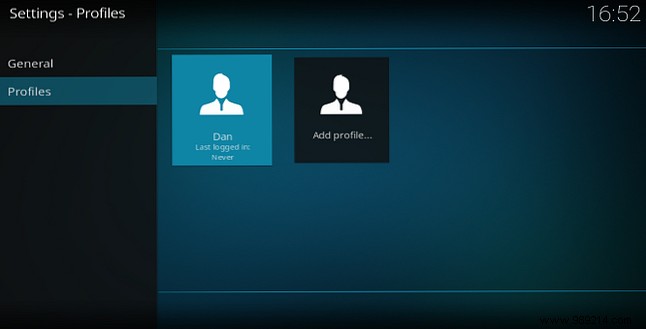
Solution: Individual profiles with custom skins, libraries, RSS, and parental controls (admins lock folders).
Create: System > Profile settings > Profiles > Add profile. Then, under General, enable Show login screen at startup.
After tweaks, your Kodi is customized—don't risk losing it. Use the official Backup program add-on for automated saves.
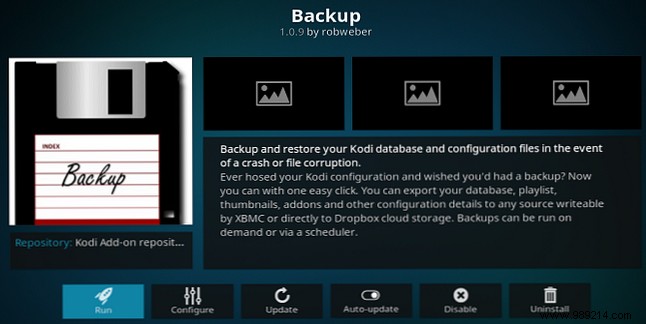
Install: Add-ons > Download > Program add-ons > Backup. Run via Program add-ons > Backup; set location and schedule. Restores easily post-crash.
These tips set you up for success. Explore the official repo and tweak confidently.
New to Kodi? Share your challenges, questions, or wins in the comments—we're here to help.
