Since its debut in February 2001, VLC Media Player has established itself as the premier open-source, cross-platform media player. Free, lightweight, and lightning-fast, it handles virtually any file format—even corrupted, incomplete, or unfinished ones. No wonder it's dubbed the Swiss Army knife of media players.
While many use VLC simply for DVD playback or basic video viewing, there's a wealth of powerful features waiting to be explored. As experienced users of VLC for over a decade, we've uncovered six standout capabilities that elevate your media experience.
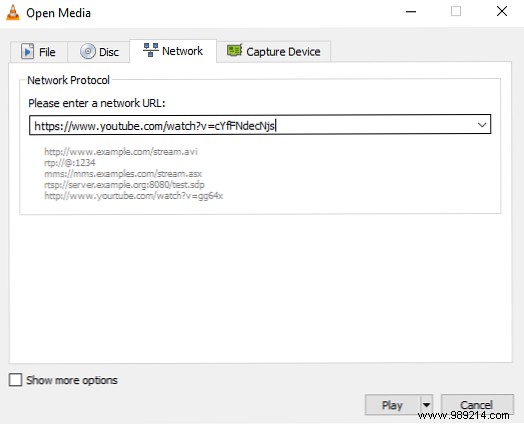
To play a YouTube video outside your browser, open File > Open Network Stream and paste the video's URL. It loads in seconds and starts playing seamlessly.
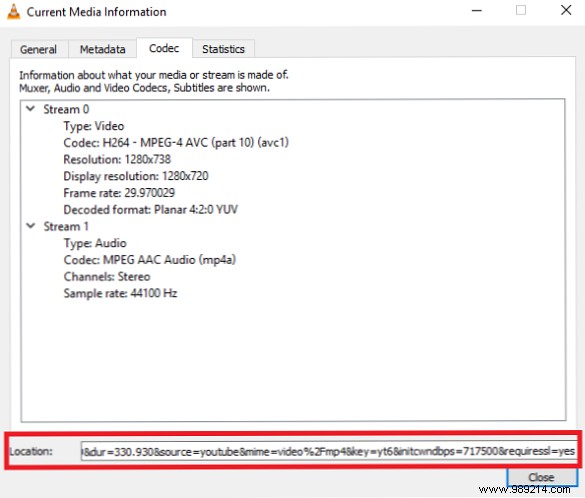
For downloading, go to Tools > Codec Information, copy the Location URL from the bottom, paste it into your browser, right-click the video, and select Save Video As.
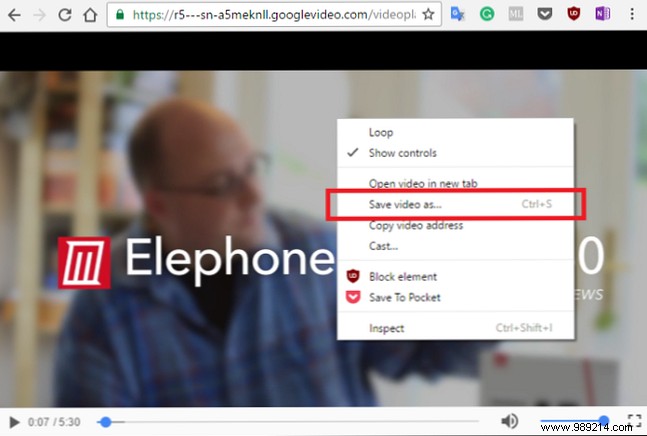
This built-in method is more reliable and secure than many web-based tools.
VLC excels as a full-featured podcast manager. Access it via View > Playlist, scroll to Podcasts under the Internet section.
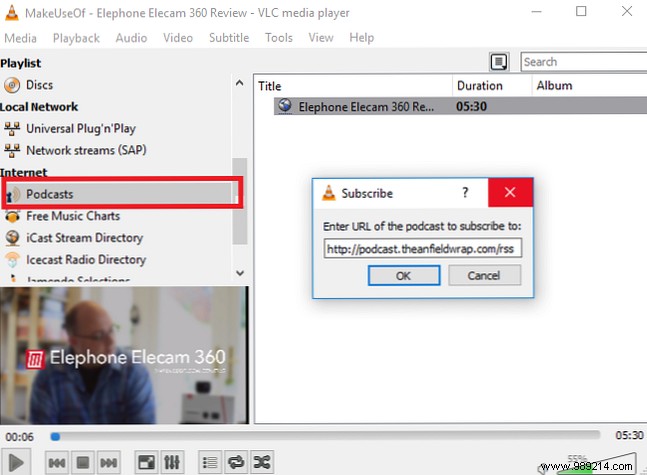
Click the + icon, enter the podcast's RSS feed (use directories if needed), and VLC fetches episodes plus artwork. Double-click to play.
VLC brings back internet radio browsing. From View > Playlist, find Icecast Radio Directory.
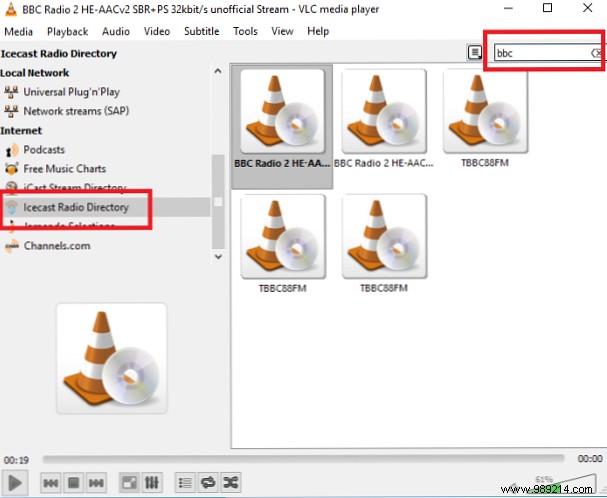
Search stations directly in the app or add manual streams. Double-click to tune in, like BBC Radio 2.
Screen recording is straightforward: Media > Open Capture Device, select Desktop.
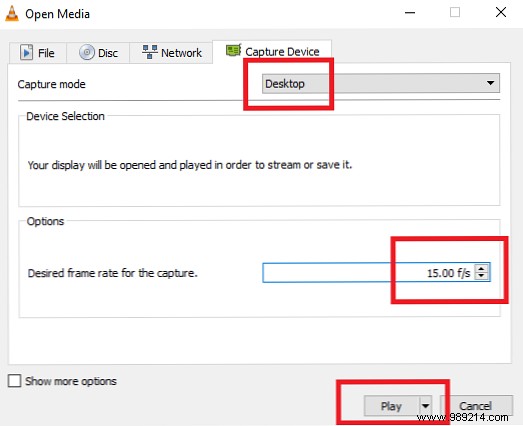
Set frame rate (15fps for static, 30fps for motion), then click the dropdown next to Play and choose Convert.
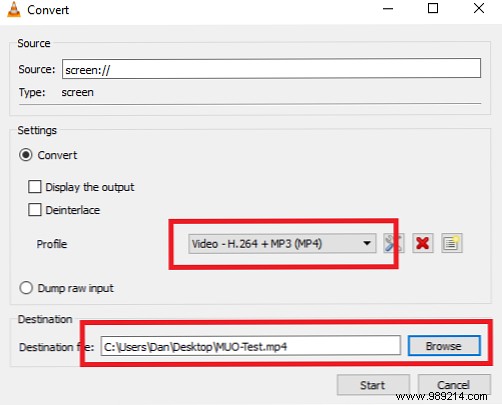
Select Video - H.264 + MP3 (MP4), set destination, and hit Start. Stop when done—VLC records silently.
No extra software needed for conversions: Media > Convert / Save, add file, click Convert.
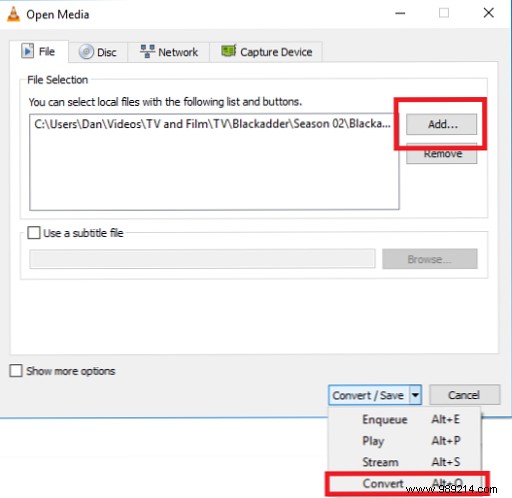
Choose output format, name, and location, then Start.
For a geeky thrill, enable ASCII video output. It's not practical but utterly mesmerizing—perfect for impressing friends or faking corrupted files.
Go to Tools > Preferences > Video, select Color ASCII Art Video Output under Output. Restart VLC.

Switch back to Automatic for normal playback.
These tips showcase VLC's vast potential. Experiment further—like video wallpapers on Windows, remote browser control, or fixing subtitle sync.
What's your top underused VLC trick? Share in the comments—we read them all and often reply.
