As a Spotify enthusiast with years of daily use, I've uncovered features that transform it from a simple music streamer into a personalized entertainment powerhouse. Recent launches like video streaming at a New York event have elevated it further, making it a top choice for free and premium users alike. The desktop and mobile apps hide clever tricks to enhance every session.
Here are 10 practical tips I've relied on to get the most out of Spotify.
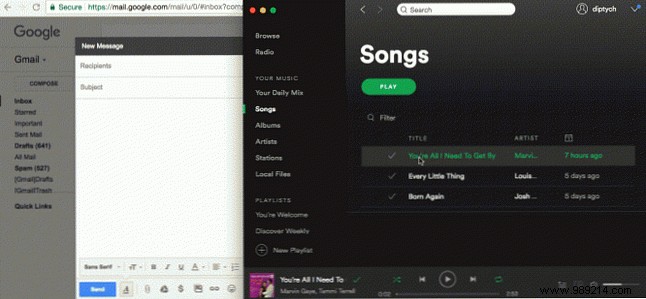
Sharing your favorite tracks is effortless. Drag a song or playlist from Spotify directly into an email, message, or document—with both windows side by side—for an instant shareable link.
This clever mobile feature lets you share tracks, playlists, or albums as images with scannable codes—better than QR. Tap the three dots on any item; save the album art with its code or scan it directly in the app. Rolled out to iOS and Android since May 2017.

Spotify's Discover Weekly curates 30 tailored tracks every Monday based on your habits. To preserve them, select all (Ctrl+A on Windows, Cmd+A on Mac) and drag to a playlist. For automation, use IFTTT applets to archive it, save to Google Drive, or email the list.

Prefer simplicity? This applet creates a 'Discover Weekly Archive' playlist automatically.
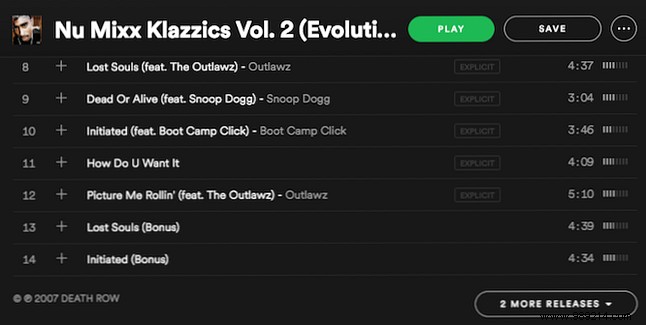
Family-friendly listening? Search the track, then click the album. If marked Explicit, check 'More releases' at the bottom for a clean edit if available.
Liked tracks collect in the private 'Your Songs' list. Select all (Ctrl+A/Cmd+A) and drag to a new public playlist for easy sharing.
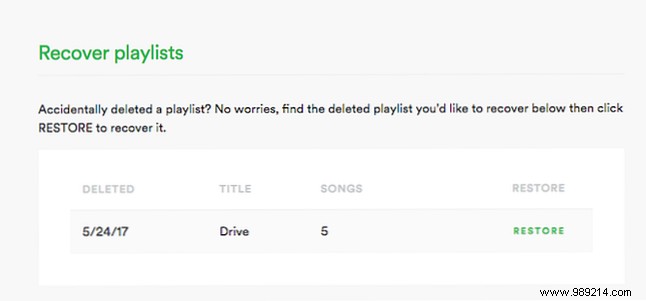
Mistakenly deleted one? Log into Spotify via web browser, visit your account page, select 'Recover Playlists,' and restore from the list.
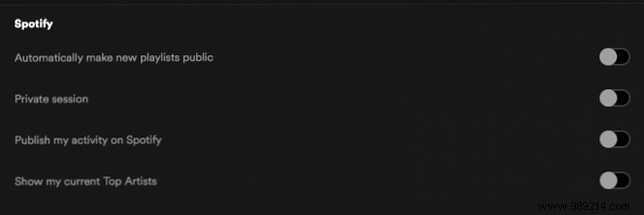
Keep your tastes private? In desktop Preferences > Social, disable 'Publish my activity to Spotify' and 'Show my current top artists.' Disconnect Facebook if linked. Sessions end on restart, but these settings persist.
Tame a crowded library by grouping by genre, mood, or activity. Go to File > New Playlist Folder (or Shift+Ctrl/Cmd+N). Drag playlists in; collapse/expand for tidiness. Deleting a folder removes its contents—handy for bulk cleanup.
Peek at upcoming tracks (next 30) or recent plays (last 40) via the Queue button near playback controls. Perfect for relocating that one song.

Android users: With Google Now, say 'OK Google, play [song] on Spotify' like 'OK Google, play By the Ocean by Persimmon.' Control playback too—skip, pause, volume. Tap to start if needed.
Beyond these, third-party apps expand Spotify endlessly. What's your go-to trick? Share in the comments—what can't you live without, or what features do you wish for next?
