Movie trailers give you an exciting preview of upcoming films, from major Hollywood blockbusters to indie favorites. Some are so compelling they stand alone as must-watch content. If you want to download them to your computer, here are proven, straightforward methods we've tested and recommend.
Several trusted sources make it easy to grab high-quality trailers. Below are the top three options.
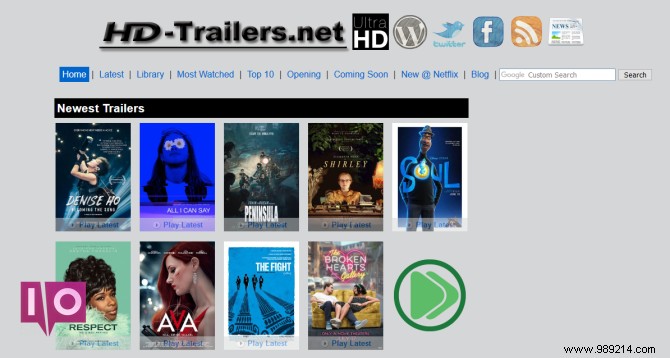
HD-Trailers.net is one of the best sites for free HD movie trailers. It pulls from reliable sources like iTunes Movie Trailers and Yahoo Movie Trailers, which offer excellent high-definition quality. iTunes features a clean interface with multiple resolutions, but downloads are simpler here.
The homepage showcases the latest trailers, top box office hits, and upcoming releases. Use the search bar at the top if you don't spot your movie right away.
Each movie page includes the poster, a short description, and trailer links below. Films often have multiple versions—full trailers, previews, teasers—sorted by date and resolution. Resolutions range from 480p (lowest quality, smaller file) to 1080p (highest quality, larger file).
Click a resolution to play the trailer. Below the player, find the Download link. Click it to download, or if it opens in a new tab, right-click the link, select Save link as..., choose your save location, and click Save.
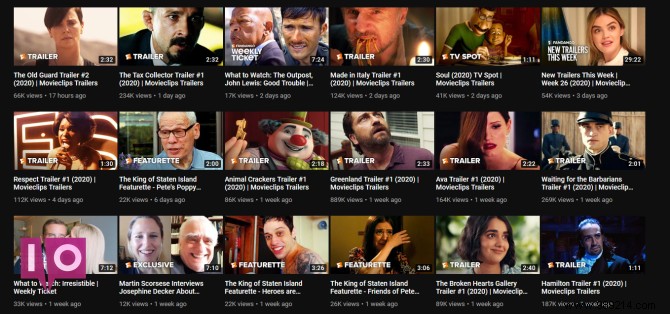
Most trailers, new or classic, are on YouTube. Check dedicated channels like:
Studios such as Netflix, Warner Bros. Pictures, and 20th Century Studios also upload directly. Or simply search for the trailer you want.
YouTube lacks built-in downloads, so use a reputable third-party tool. Our top pick is 4K Video Downloader—free for Windows, Mac, and Linux. Paste the YouTube URL, and it handles downloads, playlists, subtitles, and high resolutions without ads or low-quality limits.
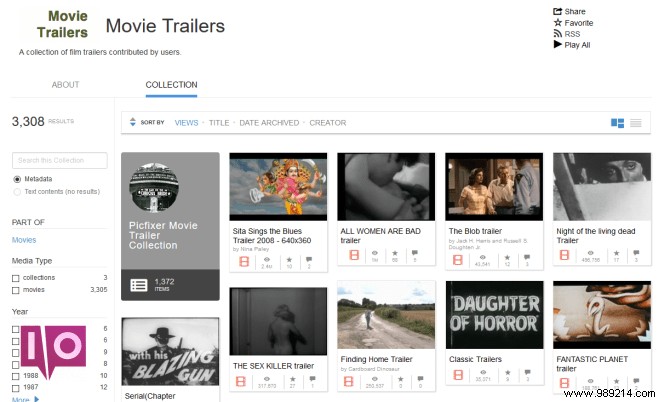
For vintage or obscure trailers, the Internet Archive hosts thousands, mostly from the 20th century. Sort via the left sidebar by Year, Themes & Subjects, or Collection. Use the top search, keeping in mind user-uploaded names may vary.
Click a thumbnail to view the page. Play the trailer at the top, then check the Download Options section below for formats like MOV or WMV.
Your OS has default players—Movies & TV on Windows, QuickTime Player on Mac—but for versatility, use VLC Media Player. This free, open-source tool works across platforms, supports nearly all formats (MP4, WMV, FLV, AVI), and skips codec hassles with tons of features.
Trailers come in various formats, and while VLC plays most, conversion helps for incompatible devices like Smart TVs. Use VLC itself: Go to Media > Convert/Save, add the file, click Convert/Save, select a Profile (output format), set the Destination file, and hit Start.
Alternatively, WinFF offers batch conversion. Add files, choose Convert to and Preset, set the Output folder, and click Convert.
Build your trailer collection and use them to pick your next film. For more recommendations, explore our guides on discovering great movies.
